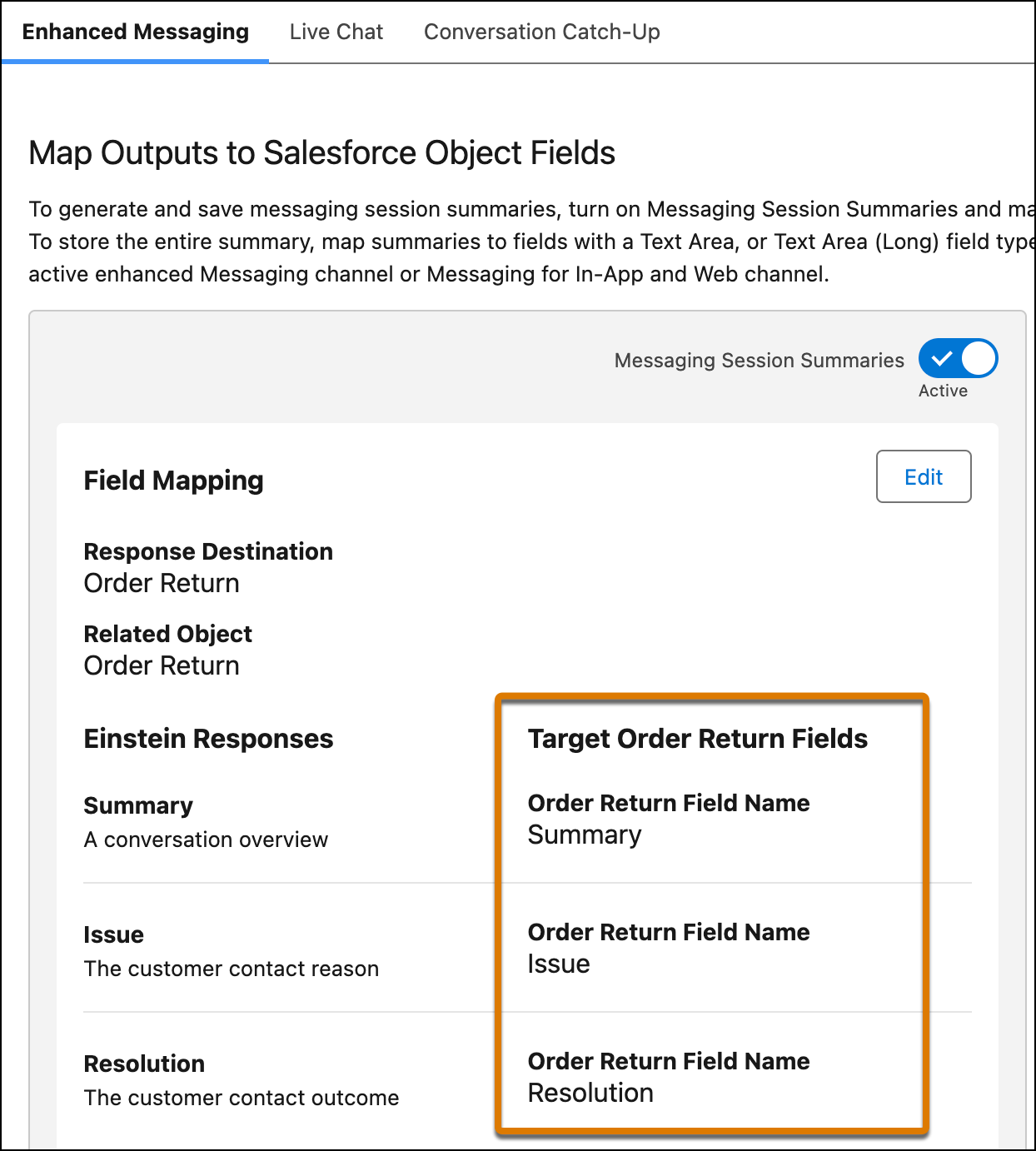
To store the generated Summary, Issue, and Resolution outputs, map these outputs to
fields of the MessagingSession object or one of its related objects. You must map these fields
before you can activate work summaries for the service channel.
Required Editions
| User Permissions
Needed |
| To store messaging session summaries in Salesforce object fields: |
Edit on Salesforce object OR Modify All Data |
-
From Setup, in the Quick Find box, enter Einstein Work Summaries,
then select Einstein Work Summaries.
-
Click the Enhanced Messaging tab.
-
In the Map Outputs to Salesforce Object Fields section, click
Edit.
-
For the Summary, Issue, and Resolution outputs, select the Salesforce object field where
you want to map each output.
Only fields with the Text Area and Text Area (Long) data types appear in the
picklist.
-
Click Save.
We don't recommend changing the field mappings after you set them up. If a field mapping
is updated, new summaries are stored in the new field you specify, while the content from the
previous field isn't shown on the summaries page.
To restore mapping for a custom field that you deleted and then undeleted, map the field
to the output again.

 Tip To map a field, you must have field-level security access on the field. If you don’t have access and try to map the field, an error appears.