
Turn on Work Summaries for Email in your org to access these time-saving summaries.
Required Editions
| View supported editions. |
| User Permissions Needed | |
|---|---|
| To use and access Work Summaries: |
Work Summaries User |
- From Setup, in the Quick Find box, enter Einstein Work Summaries, then select Einstein Work Summaries.
- Click the Email tab.
-
To enable Work Summaries for Emails, activate Email Message
Summaries.
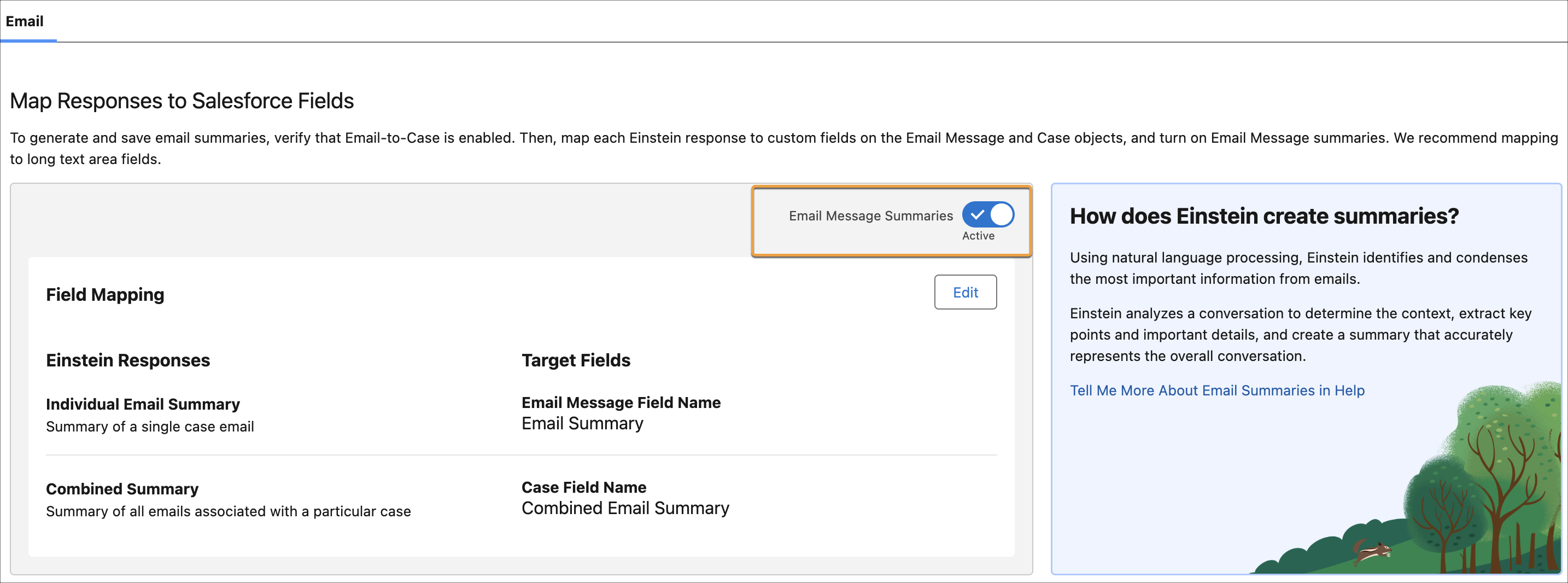
Now you’re ready to use Work Summaries for Email. Learn how to access work summaries in the console.