When Queue Management is enabled, supervisors can reassign reps to contact center
groups on the fly. For example, if a queue gets swamped with calls and reps are running at
capacity, a supervisor can reassign a group of reps from another queue. You can’t reassign reps
from different contact centers at the same time. Instead, make changes to each contact center
separately.
Required Editions
This article applies to:
- Salesforce Voice with Amazon Connect
- Salesforce Voice with Partner Telephony
- Salesforce Voice with Partner Telephony from Amazon Connect
| User Permissions
Needed |
| To change groups: |
Manage Queue Memberships
AND
Manage Users
|
When changes are made to a Salesforce contact center group, those changes are also
updated in the associated Amazon Connect routing profile.
-
To see the Change Groups button in Command Center for Service, your admin must perform these
prerequisite steps.
- Enable Queue Management.
- Add Change Groups to the actions in the supervisor configuration assigned to you.
-
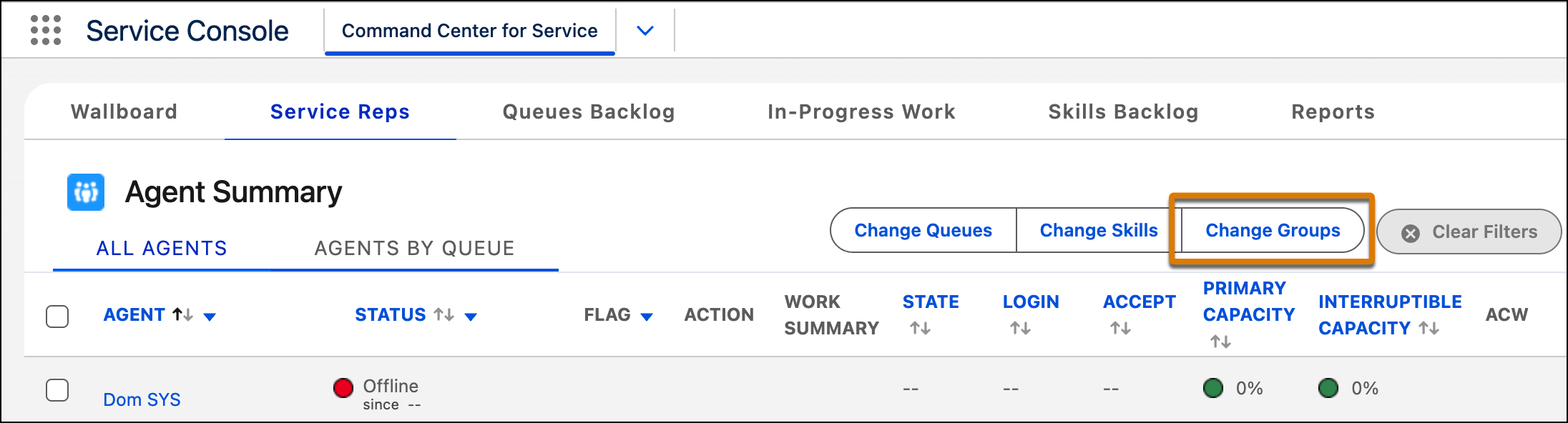
In the Service Reps tab of Command Center for Service, click Change
Groups.
-
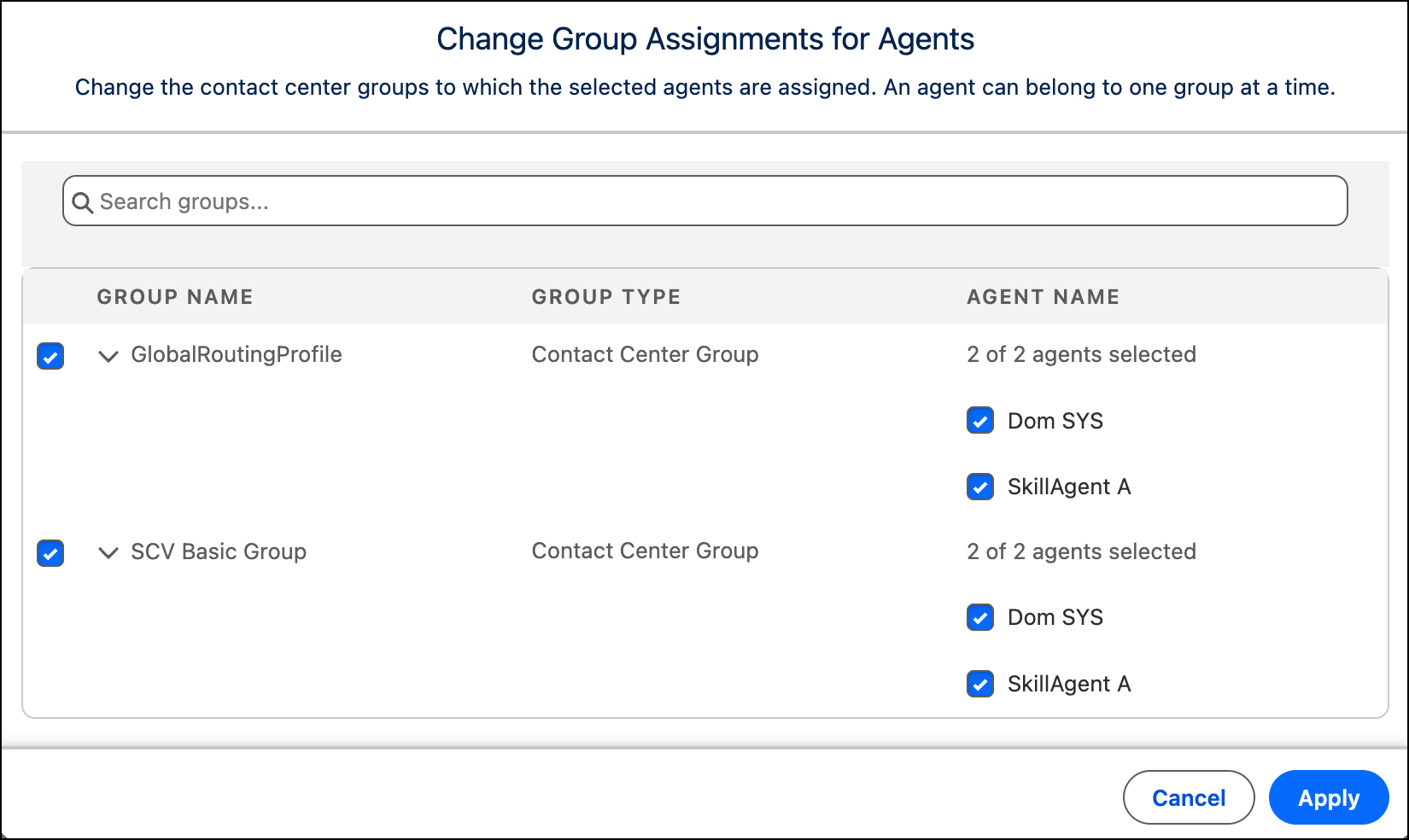
Select the reps that you want to reassign.
-
Select their new group.
-
Click Apply.
All affected reps receive an email about the change. To apply the change, each rep must
set their Omni-Channel status to offline, and then back to any available status. If a change
can’t be applied, check your email for the details.