
Chat with an AI agent to add or remove contact center users through Setup with Agentforce.
Required Editions
This article applies to:
- Salesforce Voice with Amazon Connect
- Salesforce Voice with Partner Telephony from Amazon Connect
| View supported editions. |
| User Permissions Needed | |
|---|---|
| To create and manage a contact center: | Salesforce Voice Contact Center Admin |
Before you begin,
- Get the required licenses and complete the configurations to access Setup with Agentforce. For details, see Configure Setup with Agentforce.
- Assign the required permissions for all users who use Setup with Agentforce. For details, see Grant Permissions to Use Setup with Agentforce.
The Agentforce panel appears in Setup when Setup with Agentforce is turned on.
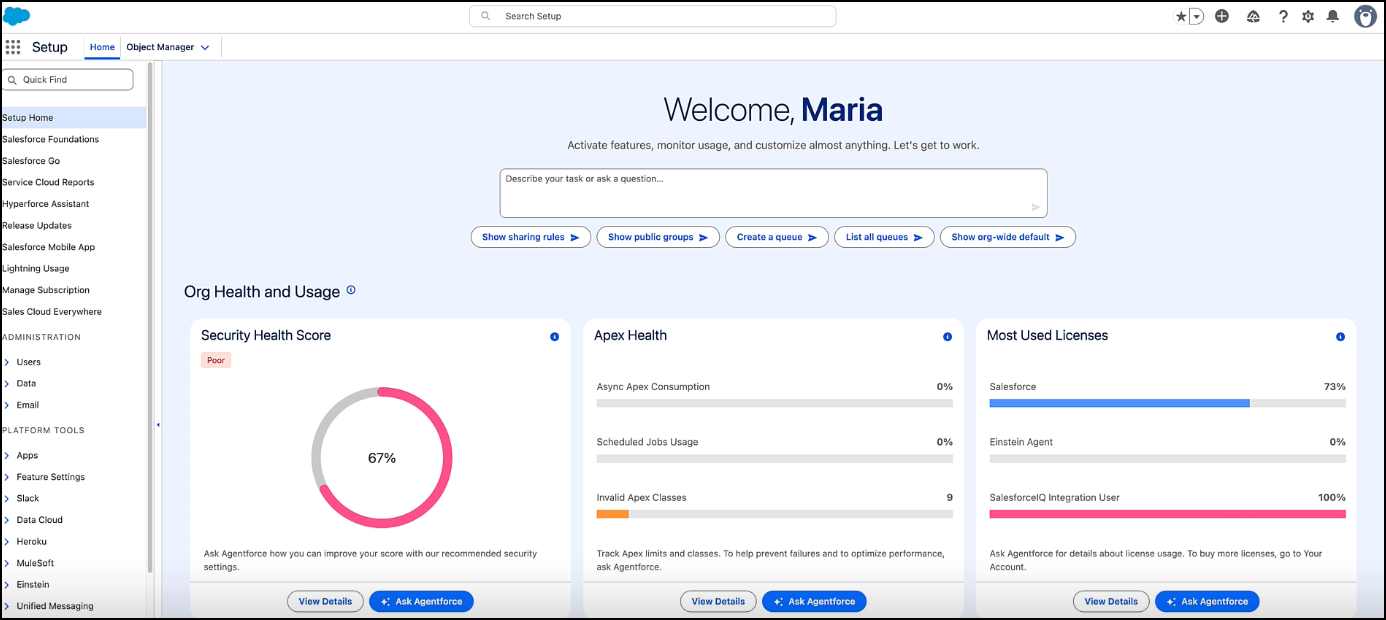
Enter your requirements, and follow the instructions to manage your contact center users.
Here are a few examples of prompts you can use. Replace the placeholders with appropriate
identifiers as required.
- Add users [name, email, or userID] to Contact Center [Contact Center Id, Display Name, or API Name].
- Add users [name, email, or userID] to Contact Center [Contact Center Id, Display Name, or API Name] and set up quick connects for them.
- Remove users [name, email, or userID] from Contact Center [Contact Center Id, Display Name, or API Name].