---
schema_version: "1"
id: be3f6967a176d7ad79a75499c0a270e9e09869dbb5931269e350fd7c235a6c5c
title: Manage Contact Center Users with Setup with Agentforce
collection: admin
version: current
locale: en-us
portal_url: https://docs.salesforce.com/admin/current/en-us/service/264-0-0/voice_setup_manage_users_ai.md
canonical_url: https://help.salesforce.com/s/articleView?id=service.voice_setup_manage_users_ai.htm&release=264.0.0&type=5
source_site: help.salesforce.com
content_type: documentation
content_hash: f708a75a00cfbf4905a6f57f89227f6c30c261bd55627662cce5f9a7e50e6ba1
description: Chat with an AI agent to add or remove contact center users through Setup with Agentforce.
products:
- Service Cloud
- Digital Engagement
release: "264"
---
# Manage Contact Center Users with Setup with Agentforce
Chat with an AI agent to add or remove contact center users through Setup with Agentforce.
### Required Editions
This article applies to:
- Salesforce Voice with Amazon Connect
- Salesforce Voice with Partner Telephony from Amazon Connect
Before you begin,
- Get the required licenses and complete the configurations to access Setup with Agentforce. For details, see [Configure Setup with Agentforce](https://help.salesforce.com/s/articleView?id=xcloud.setup_agentforce_configuration.htm&type=5&language=en_US).
- Assign the required permissions for all users who use Setup with Agentforce. For details, see [Grant Permissions to Use Setup with Agentforce](https://help.salesforce.com/s/articleView?id=xcloud.setup_agentforce_permissions.htm&type=5&language=en_US).
The Agentforce panel appears in Setup when Setup with Agentforce is turned on.
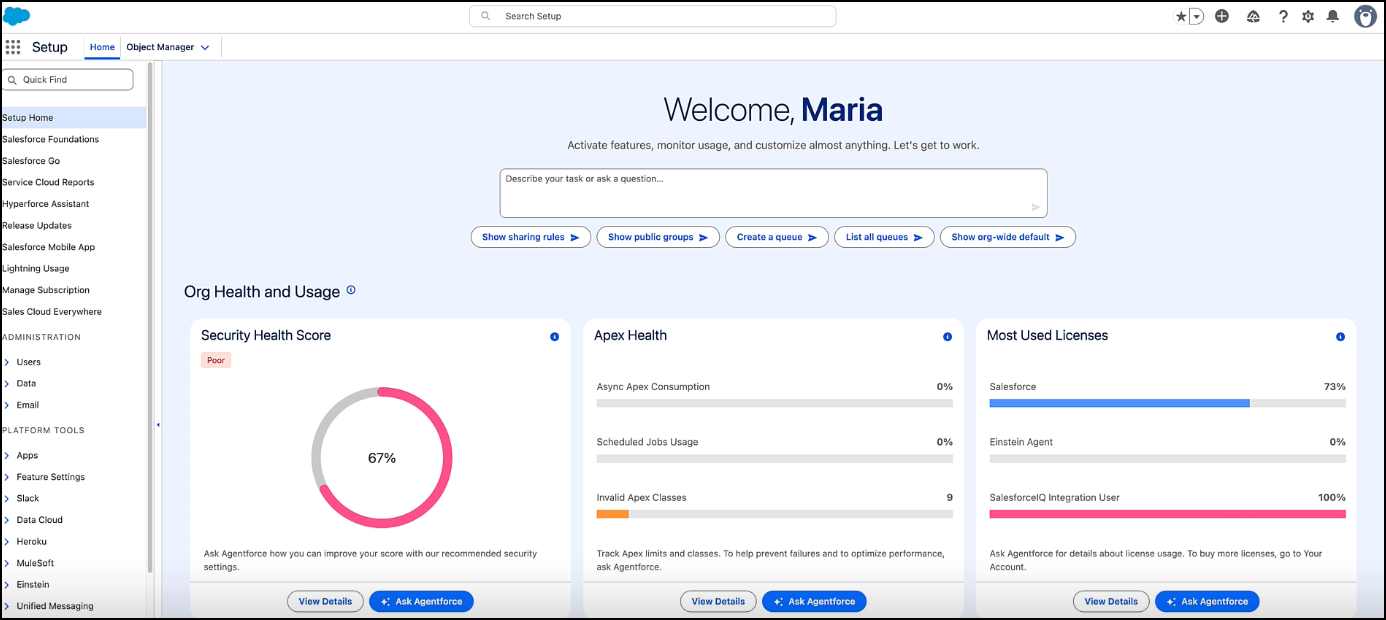
Enter your requirements, and follow the instructions to manage your contact center users. Here are a few examples of prompts you can use. Replace the placeholders with appropriate identifiers as required.
- Add users \[name, email, or userID\] to Contact Center \[Contact Center Id, Display Name, or API Name\].
- Add users \[name, email, or userID\] to Contact Center \[Contact Center Id, Display Name, or API Name\] and set up quick connects for them.
- Remove users \[name, email, or userID\] from Contact Center \[Contact Center Id, Display Name, or API Name\].