For Amazon Connect contact centers, you must enable Conversation Intelligence for
Contact Lens in the ContactLensProcessorFunction Lambda function. This Lambda function processes
the Contact Lens rules.
Required Editions
-
In the AWS Console, search Lambda.
-
To open Lambda, under Services, click Lambda.
-
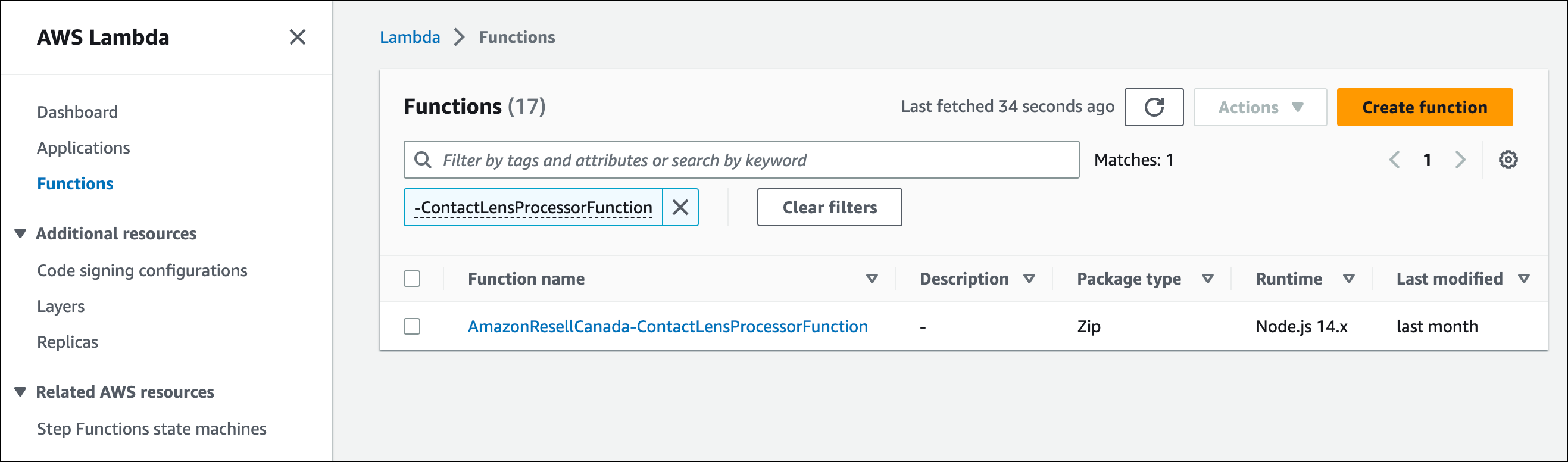
On the AWS Lambda page, find the Lambda function with suffix
-ContactLensProcessorFunction. If you have multiple Amazon Connect
instances, you see one Lambda function for each instance.
-
Click the Lambda function name.
-
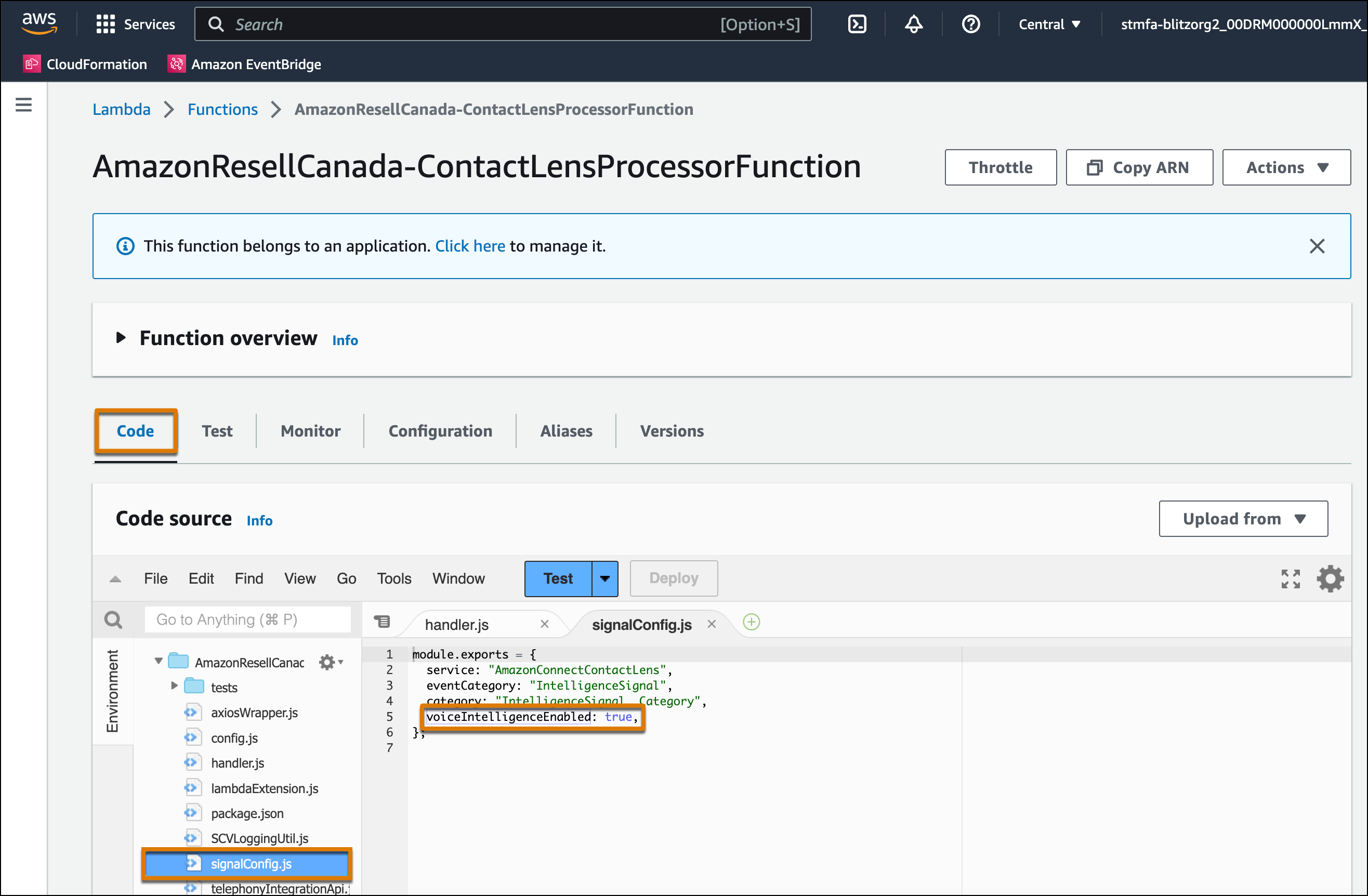
Click Code.
-
Select and open signalConfig.js from the file list.
-
Set the voiceIntelligenceEnabled attribute value to true.
-
Click Deploy.