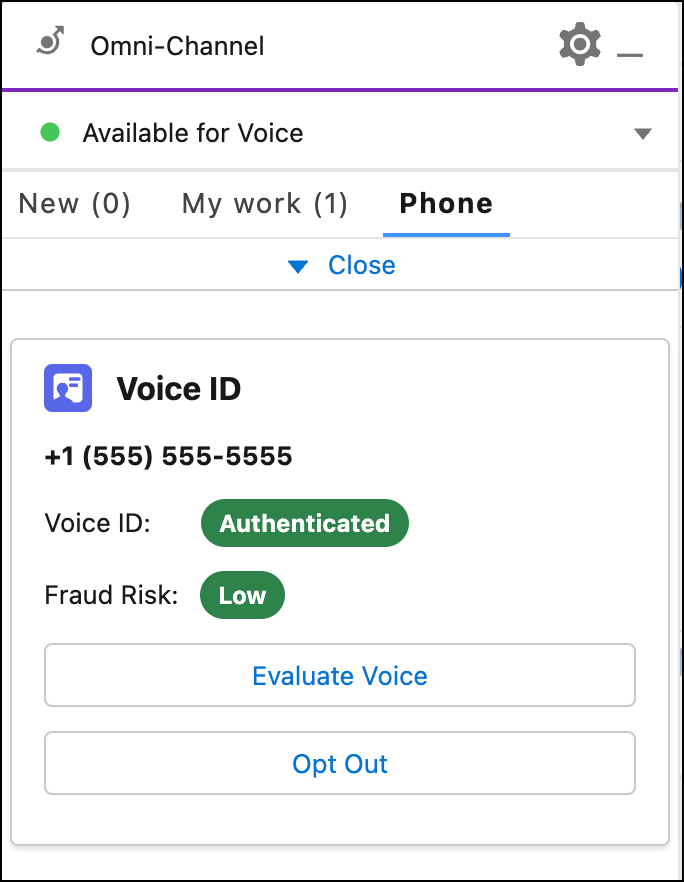
If your admin enabled Voice ID for your org, you can enroll callers in Voice ID who
agree to use their voice to authenticate themselves. Voice ID appears only when you're on a
call.
Required Editions
This article applies to:
- Salesforce Voice with Amazon Connect
- Salesforce Voice with Partner Telephony from Amazon Connect
-
To view Voice ID when on a call, depending where your admin added the Voice ID component,
open the Voice Call record page or the Omni-Channel widget. In the Omni-Channel widget, click
More to view Voice ID.
-
To enroll the caller in Voice ID, click Enroll Caller.
Voice ID evaluates the caller’s voice to authenticate them and determine their fraud risk
level.
-
To evaluate the caller’s voice, click Evaluate Voice.
-
If a caller wants to opt out of Voice ID, click Opt Out.