
To quickly respond to a rep's flag or to deescalate an ongoing voice call, barge in and take over the call.
Required Editions
This article applies to:
- Salesforce Voice with Partner Telephony
| View supported editions. |
| User Permissions Needed | |
|---|---|
| To open Command Center for Service: | Salesforce Voice Contact Center Supervisor |
| To barge in to a voice call: | Salesforce Voice Contact Center Rep (Partner Telephony) |
- Open Command Center for Service.
-
From the Service Reps tab, expand a call, and click
Monitor.
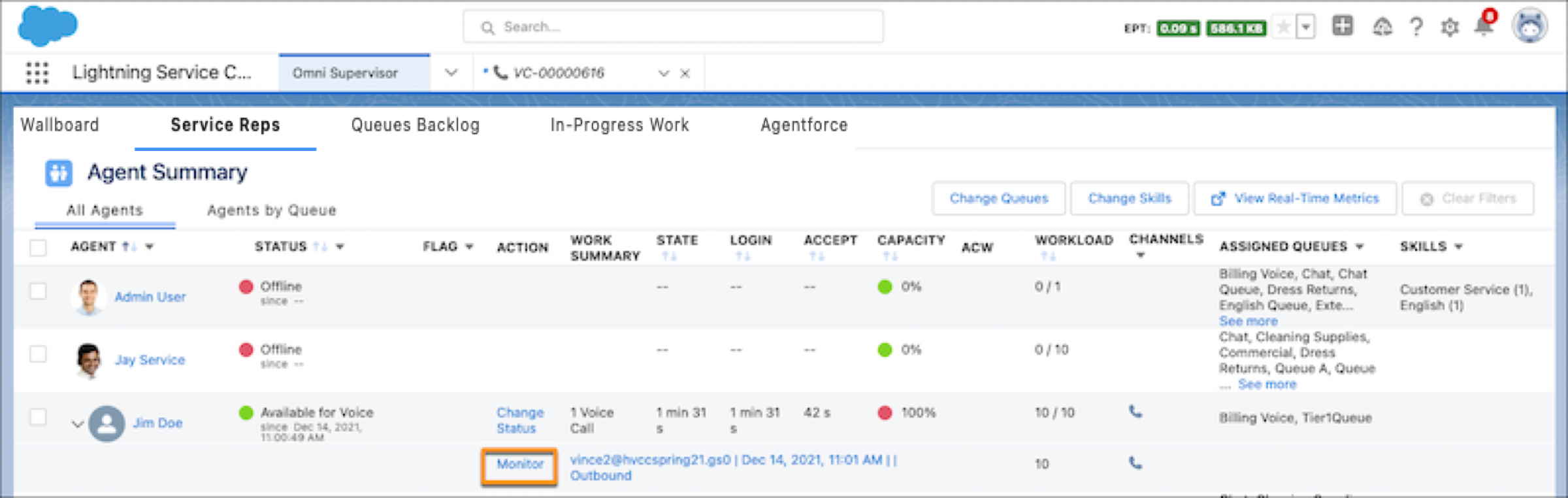
- Click Listen In.
- Click Barge In. When a supervisor barges in to a call, the rep is notified but the customer isn’t.