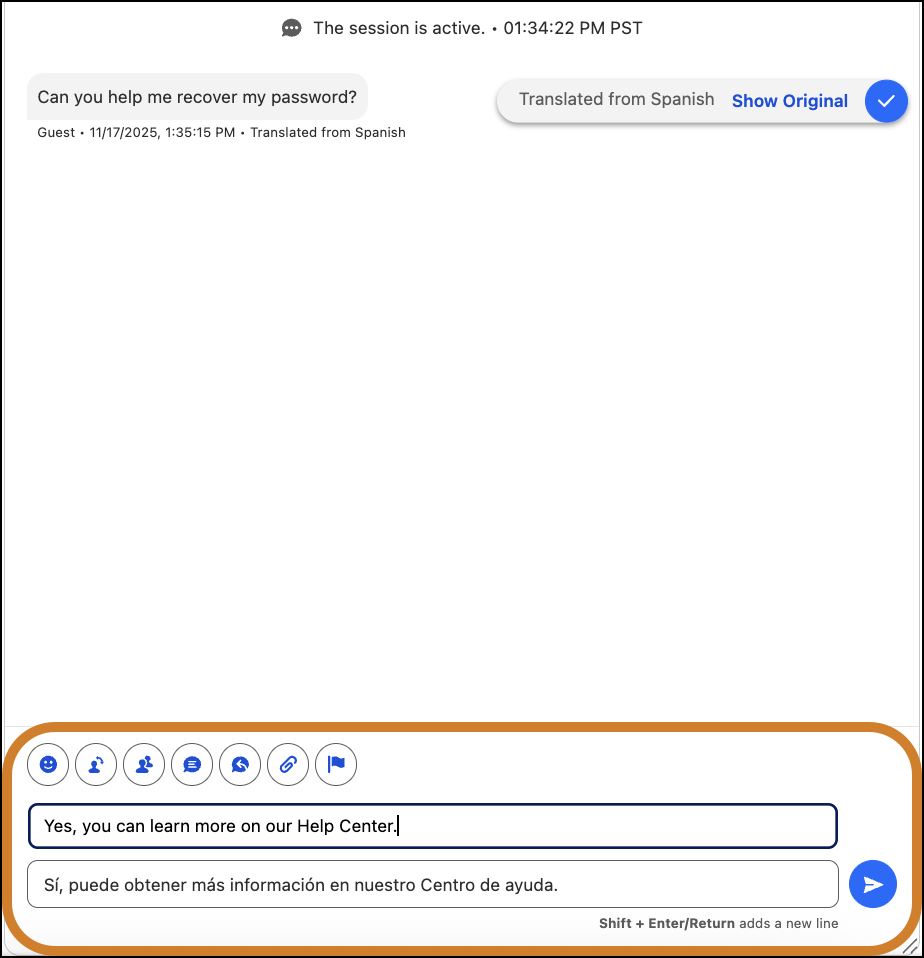
Real-Time Translations lets service reps and customers communicate in their preferred language.
Required Editions
| View supported editions. | |
 This article applies to:
|
Enhanced In-App Chat, Enhanced Web Chat v1, Enhanced Web Chat v2, Enhanced WhatsApp, Enhanced Facebook Messenger, Enhanced SMS, Enhanced Apple Messages for Business, Enhanced LINE, and Bring Your Own Channel |
 This article doesn’t apply to:
|
Standard SMS channels |
| User Permissions | |
|---|---|
| To view and send translated messages: |
Real-Time Translations permission set license AND Translate Enhanced Conversations |
View Messages in Your Preferred Language
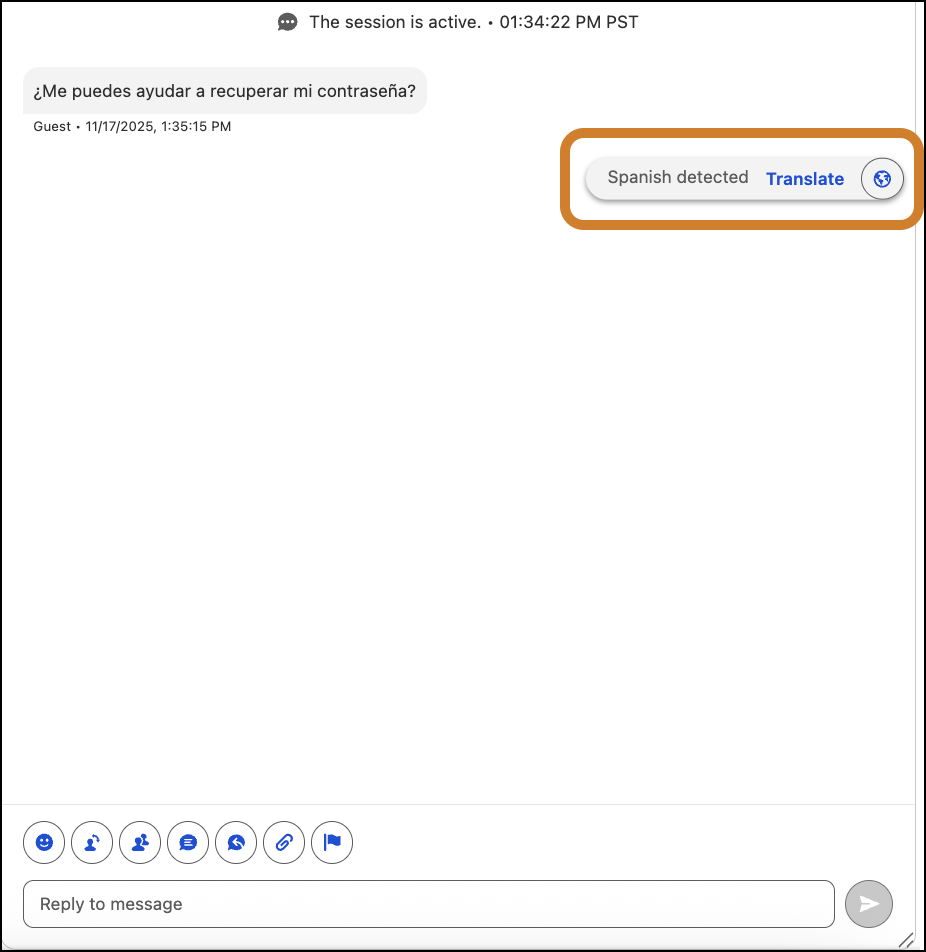
In the Enhanced Conversation component, click the Translate button.
Send Messages in the Customer’s Preferred Language
Enter your response in the Reply to Message field. When the translated message appears in the field below it, click Send.