
You can configure Safety Cloud to generate QR codes automatically for Health Verification records that meet a defined criteria.
Required Editions
| Available in: Enterprise and Unlimited Editions |
| User Permissions Needed | |
|---|---|
| To modify trigger settings: | Modify All Data |
Safety Cloud generates QR codes for individuals’ Health Verification records based on the Occasion Access Settings.
The Set QR Code Logic trigger logic is activated by default. To view the Set QR Code Logic, complete these steps.
- From Setup, in the Quick Find box, enter Custom Code, and then select Custom Metadata Types.
- Select Manage Records for the Trigger Setting Custom Metadata object.
-
From the list of Trigger Settings, select Set QR Code
Logic.
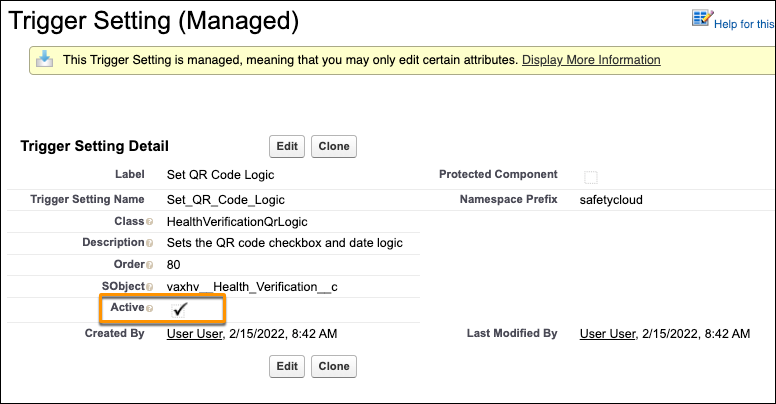
SetQRCodeLogic is the trigger module, which now runs on Occasion Access Settings.