
Follow a few simple steps to deliver valuable chat and messaging replies to your service reps.
Required Editions
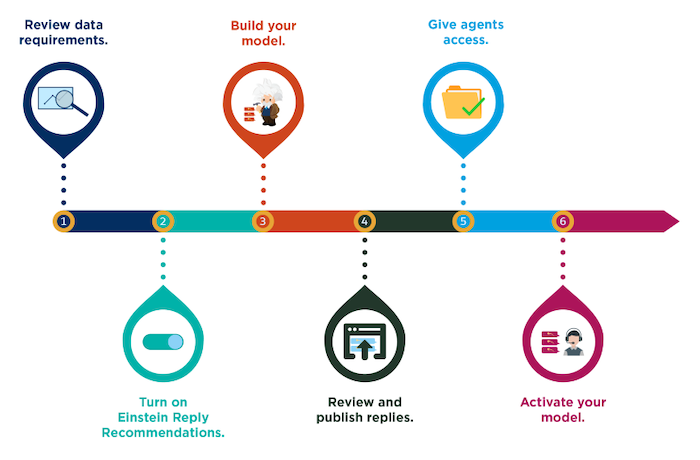
- Enable Einstein Reply Recommendations
Turn on Einstein Reply Recommendations to get started. - Build Your Recommendation Model
After you enable Einstein Reply Recommendations, you can build your model if you have enough closed chats. - Review and Publish Replies
After Einstein has identified common responses in your transcripts, select and review the most useful replies, and then publish them to your service reps. - Give Service Reps Access to Reply Recommendations
Give service reps access to Einstein Reply Recommendations by assigning them a permission set. - Activate Your Reply Recommendation Model
After you publish Einstein’s replies to Quick Text and give your service reps access to replies, activate your model to show recommendations during chat and messaging sessions. - Multi-Language Support
With Einstein Reply Recommendations, you can show service reps common replies in 16 languages during chat and messaging sessions: Arabic, Chinese-simplified, Chinese-traditional, Dutch, English, French, German, Italian, Japanese, Korean, Polish, Portuguese, Russian, Spanish, Thai, and Turkish.