
Get information on scheduling and optimization requests that you run.
Required Editions
| Available in: Lightning Experience |
| The Field Service core features, managed package, and mobile app are available in Enterprise, Unlimited, and Developer Editions. |
 This is a Field Service managed package feature.
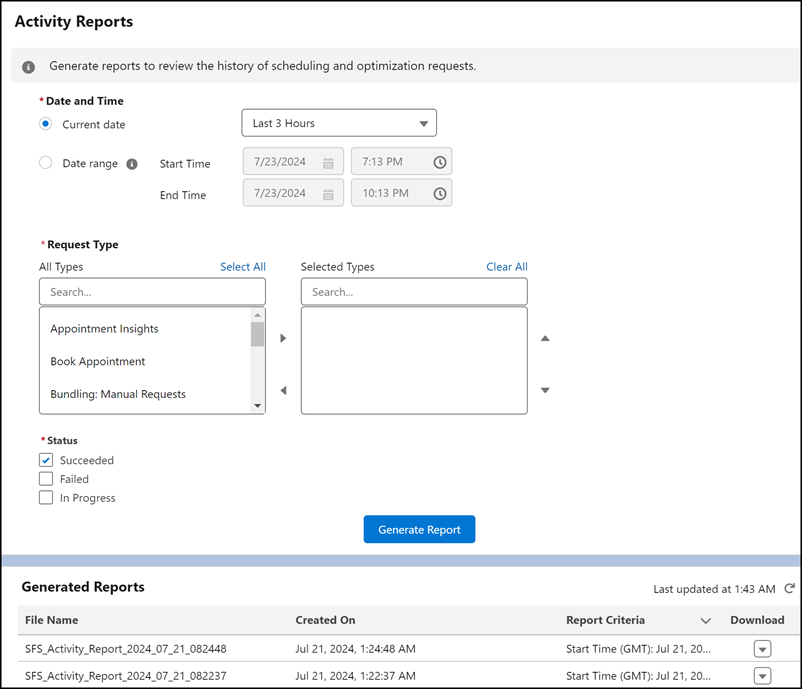
Activity Reports lets Salesforce admins easily monitor the activities and processes that they initiate in their Salesforce org. It provides information in one location about all your scheduling and optimization requests and shows you their status to help you identify issues and resolve them quickly.
With Activity Reports, you can generate a report for specific request types and easily identify whether they succeeded or failed. For example, generate a report on a Global Optimization request that failed. The report output details the reasons for the failure, allowing you to take action and troubleshoot the issue quickly.

- Set Up Activity Reports
Configure your Activity Reports settings and learn about its limitations and considerations. - Generate Activity Reports
Generate activity reports for specific request types to view information related to their status. You can generate a report for a request type that succeeded, failed, or both.