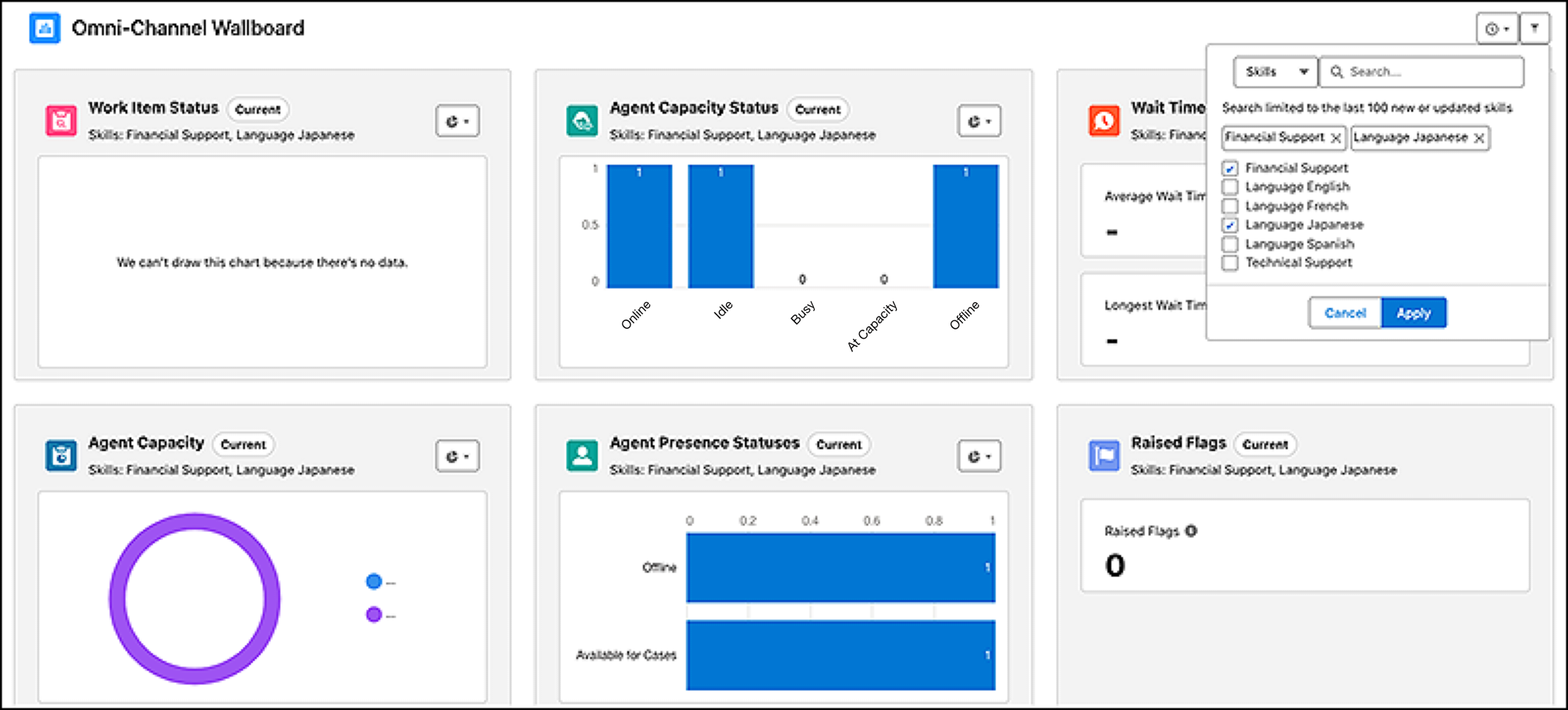
View a snapshot of how your service reps are keeping up with their contact center
workload. The Wallboard tab shows key metrics for the service reps and work that you manage. The
wallboard shows metrics for work items that are routed using queues or skills. If applicable,
the metrics are based on the service reps, queues, and skills selected in the associated
supervisor configuration.
Required Editions
To focus the Wallboard results, select the queues or skills that you’re interested in. The
Wallboard uses ‘AND’ logic for those queues and skills when filtering, so it includes only
work or service reps for the selected queues or skills. For each metric, the wallboard shows
the queues or skills that are used in filtering.
You can select multiple queues or skills to filter by. The Wallboard uses ‘AND’ logic for
those queues and skills when filtering, so it includes only work or service reps for the
selected queues or skills. For each metric, the wallboard shows the queues or skills that are
used in filtering.
You can choose the type of display for each chart: metric, donut, horizontal bar, or vertical
bar chart.