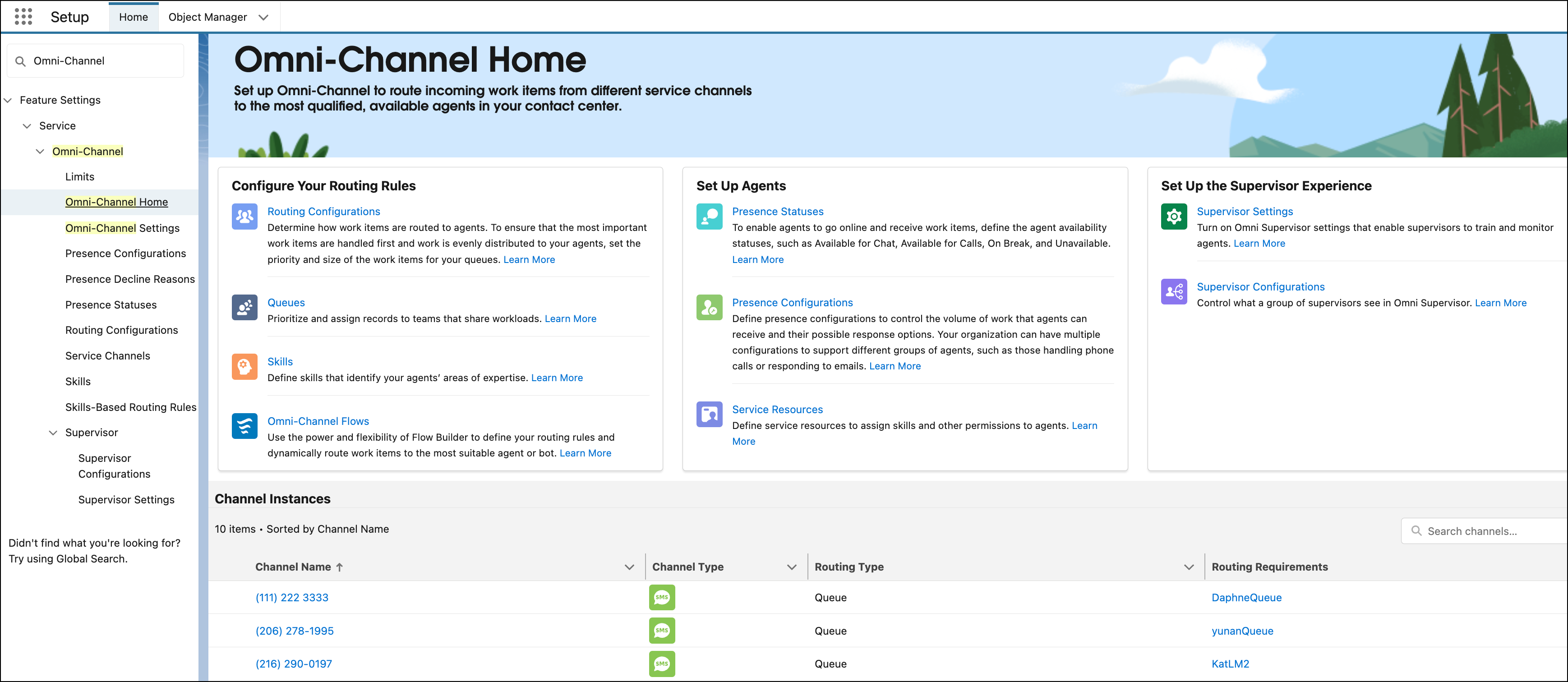
Set up Omni-Channel to route incoming work items from different service channels to
qualified, available support reps in your contact center. To learn more about what Omni-Channel
components to set up and get a list of setup tasks, go to the new Omni-Channel setup home. The
setup home also provides warnings when items aren’t correctly configured. You can also view
details about and click a link to access every service channel instance defined for your
company.
Required Editions
-
In the Quick Find box under Setup, enter Omni-Channel Home, and then
select Omni-Channel Home.
-
To perform a setup task, click the link.
-
To learn more about a setup task, click Learn More for the task.
-
In the Channel Instances section, check out the service channel instances that were created
for your company.
-
If a warning appears for a service channel instance, hover over the icon for more
information.
For example, a warning appears if the assigned Omni-Channel flow is inactive or the
channel instance routes work to a queue with a missing routing configuration.