
Delay the routing of a work with Scheduled Work. Define a specific future date and time to route the work.
Required Editions
Delay the routing of a work with Scheduled Work. Define a specific future date and time to route the work.
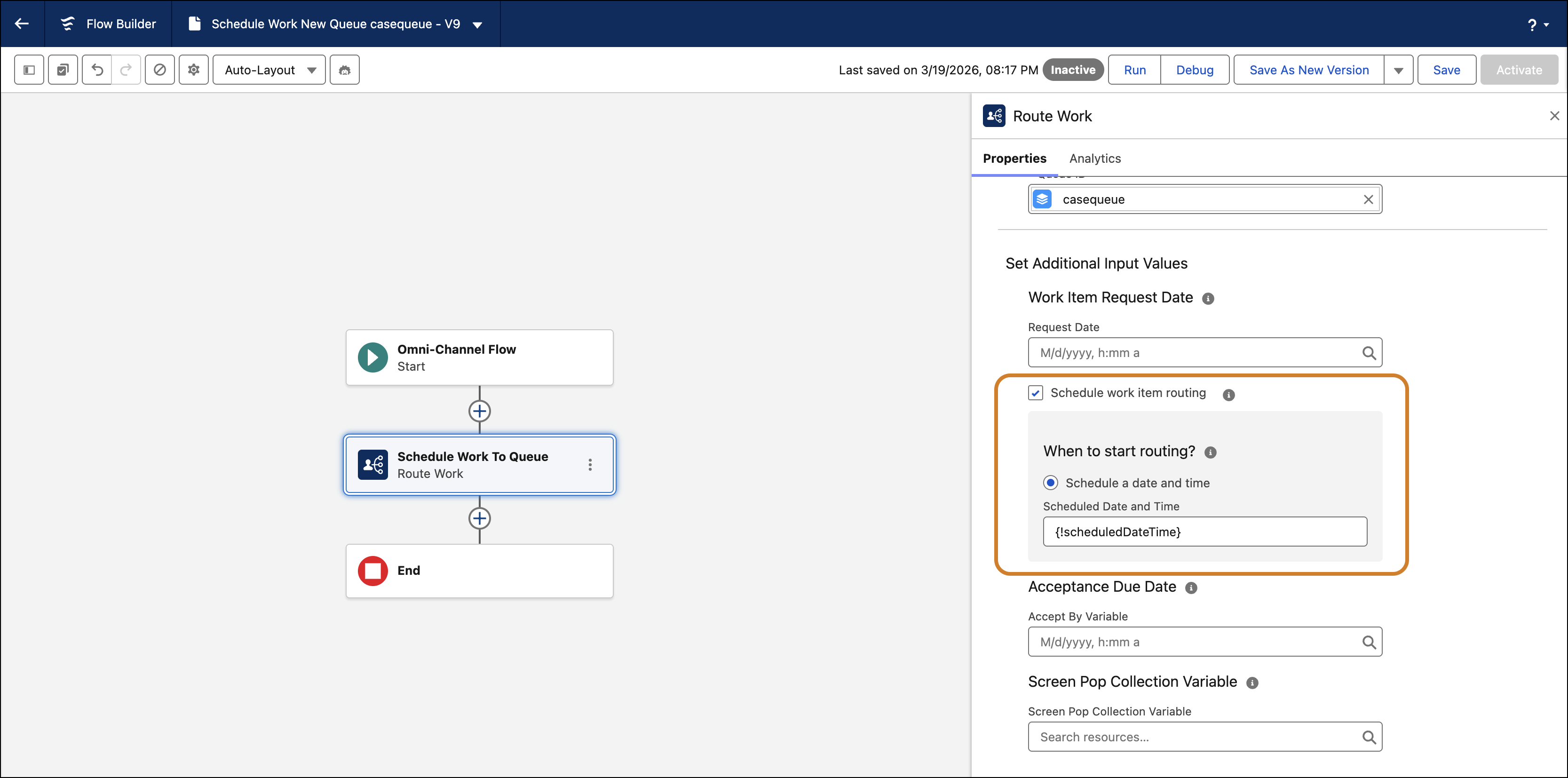
- Open a flow in Flow Builder, add or edit a Route Work action.
- Select a routing service. Make sure that the Route To value is set to Queue, Skills, or Agent.
- Expand Set Additional Input Values to find the routing start options.
- Select the Schedule work time routing checkbox. Select the Schedule a date and time option and enter the date and time for the work item to be routed in the Scheduled Date and Time field.
- Save and activate the flow. Once the flow runs, a Pending Service Routing (PSR) record is created with the scheduledDateTime field populated. The field and value are carried to the Agent Work created as well.

Note Scheduled routing isn't supported for Agentforce agents or Einstein Bots.
If the scheduled time evaluates to a time in the past when the flow runs, the value is ignored, and the item is routed immediately.