
If you want customers to message you in Apple Messages for Business, it’s helpful to understand the ways that they can do so. To make it easy for your customers to contact you, take advantage of both native Apple and business-controlled entry points.
Required Editions
| View supported editions. | |
 This article applies to:
|
Enhanced Apple Messages for Business channels |
 This article doesn’t apply to:
|
Enhanced In-App Chat, Enhanced Web Chat v1, Enhanced Web Chat v2, Enhanced WhatsApp, Enhanced Facebook Messenger, Standard and Enhanced SMS, Enhanced LINE, and Bring Your Own Channel |
What's an Entry Point?
An entry point is a way for customers to start a conversation with your business. Think of it as the digital equivalent of walking into a store and being greeted by a friendly staff member. When a customer uses an Apple Messages for Business entry point, it launches the Messages app on their device with the compose screen open.
Each entry point is powered by a URL that includes your Messages for Business ID. You can customize this URL by including parameters that route inquiries to a qualified service rep or queue.
Native Apple Entry Points
Apple provides these built-in features to let customers contact you. They include:
- Place Card: A digital business card that appears when customers search for your business in Apple Maps.
- Business Card: Similar to the Place Card, but it can appear in other Apple apps such as Contacts.
- Message Suggest: Suggests your business as a contact when customers enter text in the Messages app or conduct a Google search.
Business-Controlled Entry Points
You, as a business, can create and control other entry points to Apple Messages for Business. Here are some examples.
- In your business’s mobile app or website, provide a link that opens the Messages app.
- In your emails and social media profiles or posts, provide a link that opens the Messages app.
- Generate a QR code that opens the Messages app.
- Use Near Field Communication (NFC) tags that customers can tap with their devices to open the Messages app.
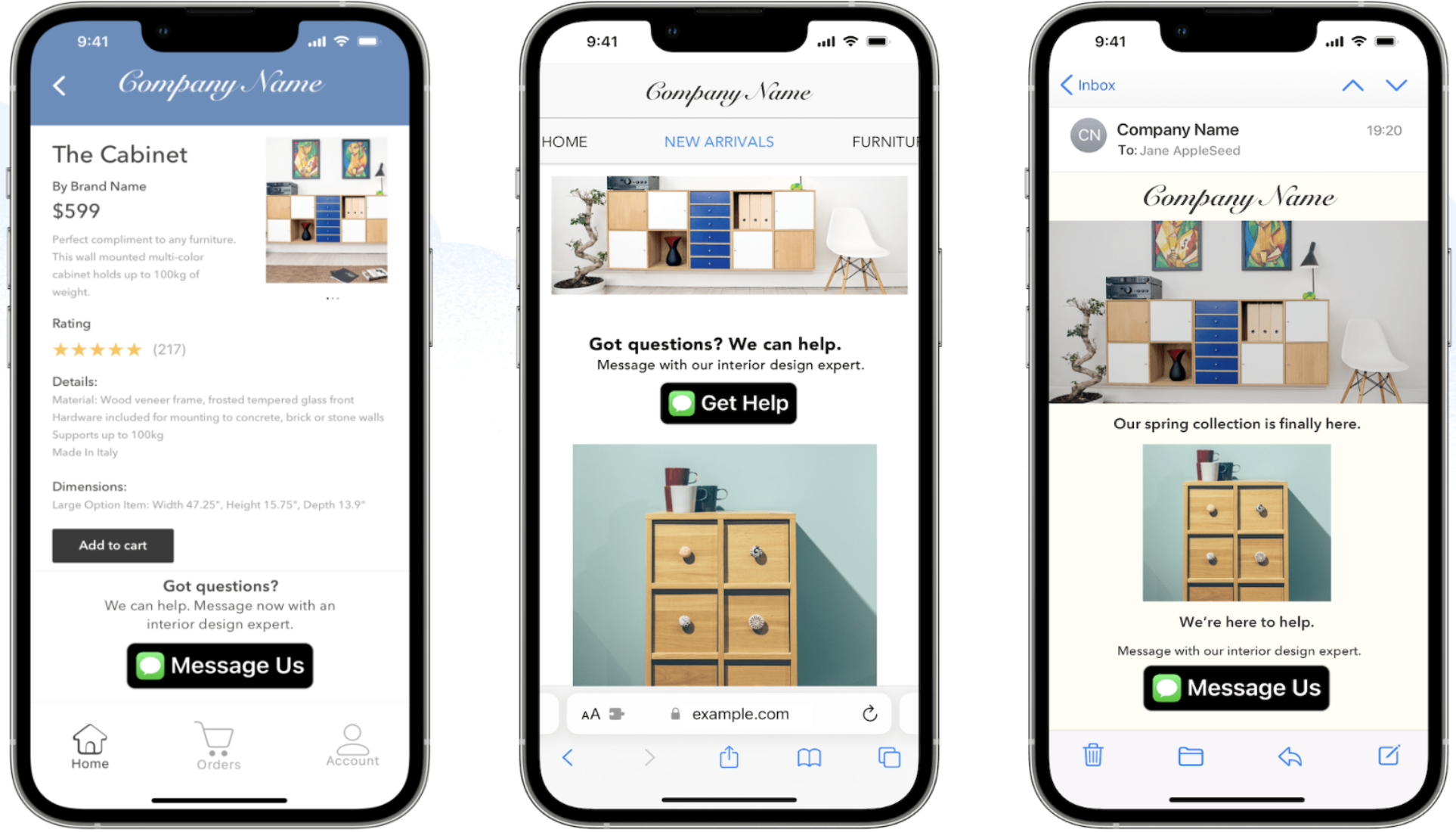
This image shows Apple Messages for Business entry points in a mobile app, website, and email. These entry points include the Apple Messages icon and custom text, such as Message Us.