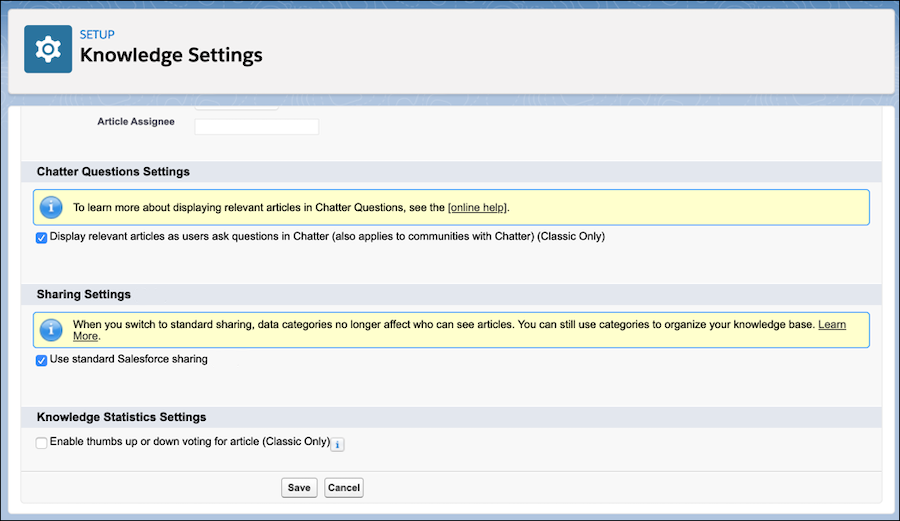
The standard Salesforce sharing model contrasts with the default for Knowledge, which
uses data categories to control access beyond object permissions. When you use standard sharing,
data categories no longer control record access. Your knowledge base continues to use data
categories to classify articles. Data categories affect searches and queries and can be used as
filters.
Required Editions
To use the Salesforce sharing model for Knowledge:
-
From Setup, enter knowledge in the quick find box and select
Knowledge Settings.
-
Click Edit.
-
Under Sharing Settings, select Use standard Salesforce
sharing.
-
Save your changes.
-
To view the sharing settings for Knowledge, from Setup, enter
sharing in the quick find box and select Sharing
Settings. By default, the knowledge object uses Public Read/Write for
internal users and Private for external access.
-
To add a sharing rule, click New under Knowledge Sharing
Rules.
You can switch from Salesforce sharing back to data category sharing by deselecting
Use standard Salesforce sharing in the Knowledge Settings page. We
recommend that you delete all sharing rules for knowledge articles before you switch back to
data category sharing. Before you can turn off standard sharing, make sure that the
organization-wide default access for internal and external users is Public Read/Write. Wait
for any sharing recalculations to finish because you can’t change the sharing model while
calculations are in progress.