Use authoring actions like edit, publish, and restore to manage articles from the
Knowledge home and article record pages. Administrators, support reps, and internal employees
with the correct profile permissions can perform the actions.
Required Editions
Authoring actions appear in Knowledge home and in record pages. Administrators, support reps,
and internal employees with the correct profile permissions can perform these actions.
Actions in Knowledge Home
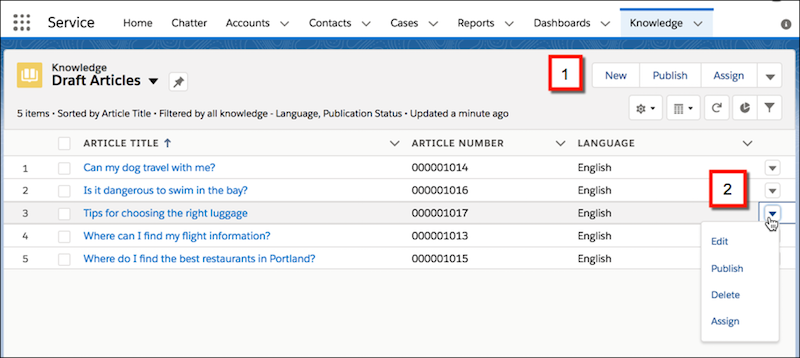
In Knowledge list views, including Knowledge
home, you can quickly perform record actions that affect one or multiple records. In
Knowledge home, actions appear if the user has the permission to use them. Use bulk actions
(1) to quickly update multiple records at once. Use the dropdown next to each article (2) to
choose record-level actions.
Actions in Record Pages
For article record pages, you can control
which authoring actions are available with page layouts and user permissions. The actions
that appear also depend on the article’s publishing status.
You add authoring actions
in the page layout editor.
- When Are Lightning Authoring Actions Available?
In Lightning Knowledge page layouts, actions are shown or hidden based on the article’s publication status. In Knowledge home, bulk actions appear on all list views for users with the appropriate permission.