
Map AI-generated responses to your Knowledge record type fields.
Required Editions
| View supported editions. |
| User Permissions Needed | |
|---|---|
| For admins to configure article creation: |
Customize Application AND Knowledge User |

Note If you set up Knowledge Creation with prompt templates, skip this step. Map responses to
Knowledge fields only when you use Knowledge Creation without prompt templates.
- To add or edit fields, from Map Responses to Knowledge Fields, on the Knowledge Creation setup page, select Edit.
-
To add and map fields, click Add Field. Select the Knowledge
field and map it to a corresponding response. To remove fields, click Delete.
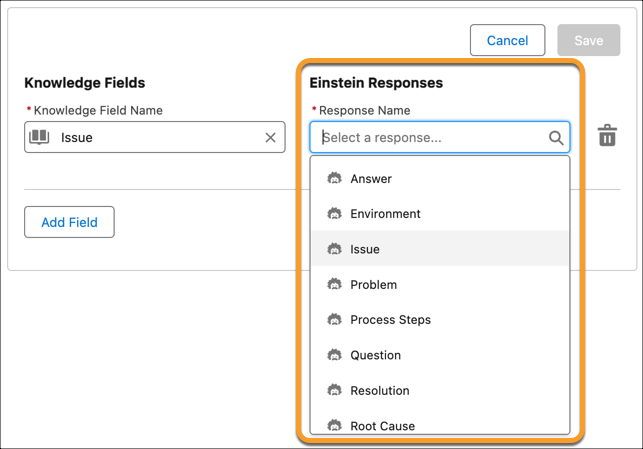
 Important When you map your Knowledge fields, all Text Area Type and String Type fields — excluding LargeLanguageModel, Title, and URL Name — across Knowledge record types are available as long as you have access. If the user generating a knowledge article doesn’t have access to a field you've mapped, it isn’t populated when they generate a knowledge article.
 - Save your changes.
To improve Einstein’s responses with information from your case fields, set up Service AI Grounding for cases. To include case comments and emails for grounding with Knowledge Creation, they must be selected during grounding set up.