Enable entitlements for incidents to help support reps deliver the correct service
level to your customers. Set up entitlement processes to create a customized timeline that
includes all the steps (milestones) that support reps must complete to resolve an
incident.
Required Editions
| User Permissions
Needed |
| To enable entitlements: |
Customize Application |
| To view entitlements: |
Read on entitlements |
| To change entitlements: |
Edit on entitlements |
| To create and update entitlement processes: |
Manage Entitlements |
Before you use entitlements and milestones for incidents, enable entitlements and
create a milestone. For steps, see Set Up and Manage Entitlements and
Milestones.
-
From Setup, in the Quick Find box, enter Entitlement, and then
select Entitlement Processes.
-
Click New Entitlement Process.
-
Select Incident as the entitlement process type and click
Next.
-
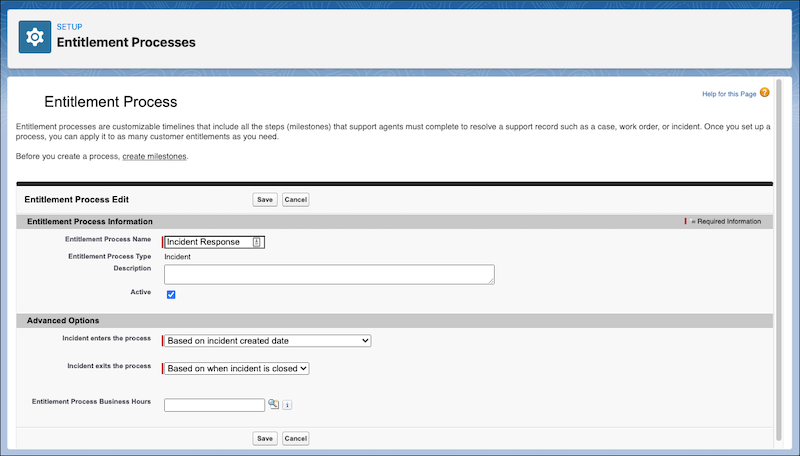
Enter a name for your process.
-
Set the entitlement process to Active.
-
Optionally, set the criteria for when an incident starts and ends the process.
-
Save your changes.
-
Under Milestone, click New.
-
Select a milestone. You can choose a recurring or non-recurring milestone for your
entitlement process.
-
Enter a time trigger in minutes.
-
Set the order in which to process the milestone.
-
Save your changes.