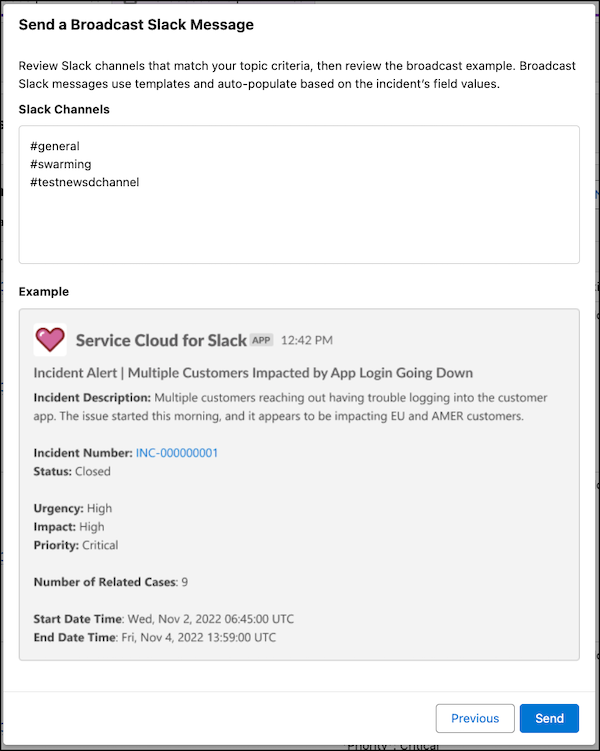
Keep stakeholders and leadership teams in the loop when an incident occurs with
broadcast Slack messages. A broadcast Slack message is visible to all users who have access to the
associated Slack channel.
Required Editions
- Customer Service Incident Management must be enabled.
- Broadcast Slack messages must be enabled.
- Broadcast topics must be assigned to Slack channels.
-
Go to the incident related lists and find the Broadcast Communications related list.
-
Click New Broadcast Slack Message.
-
Select the relevant broadcast topic and template, and click
Next.
-
Before sending a message, review the list of channels where the message will be sent. To
send the broadcast message to a different channel, choose a different broadcast topic.
-
If applicable, review the message
preview
and click Send.
To ensure that what you’re sending is appropriate to share, your admin might have a
broadcast topic that sends messages to a test channel. You can use a test broadcast topic and
Slack channel to ensure that your content is safe to share.
-
Confirm that the content is appropriate and click Send Anyway.