To investigate the root cause of an incident and collaborate with experts, create a
problem.
Required Editions
-
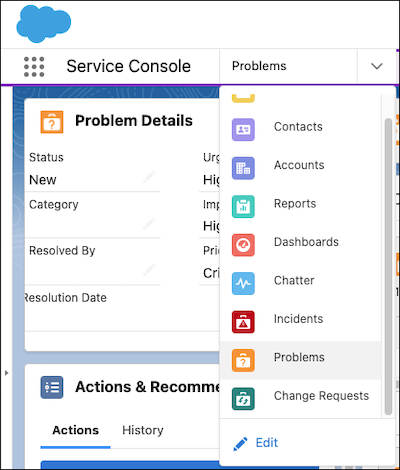
From the Service Console, click the dropdown, and select
Problems.
-
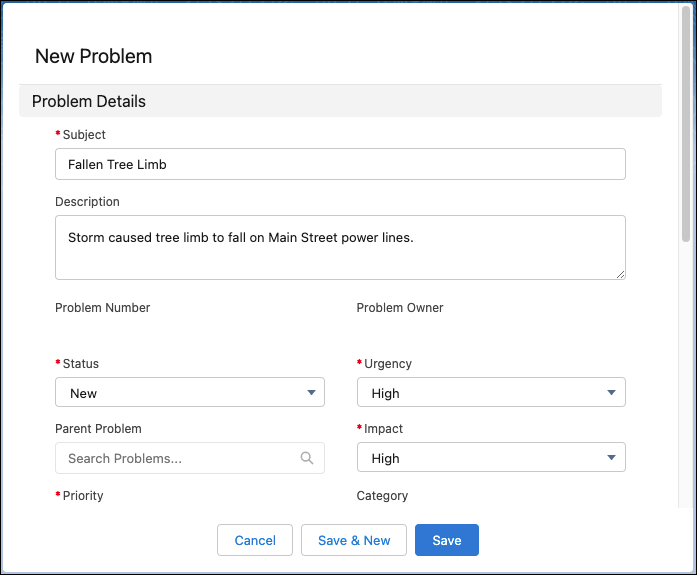
Select New.
-
Enter the information and save your changes.
After you create a problem, you can collaborate with stakeholders to resolve the issue.