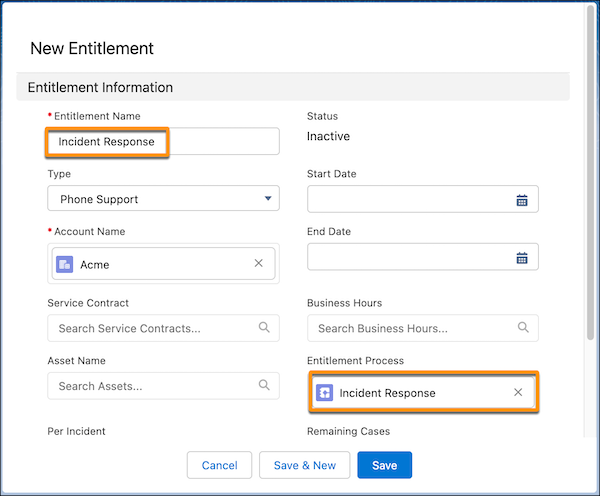
Create an entitlement and link it to your entitlement process to resolve incidents
correctly and on time.
Required Editions
-
From the App Launcher, find and select Entitlements.
-
Click New.
-
Enter the same name as the entitlement process.
-
Select an account name, set a start date, and save your changes.
When an support rep creates an incident, they can assign an entitlement. After the
entitlement is added to the incident, the milestone counter begins.