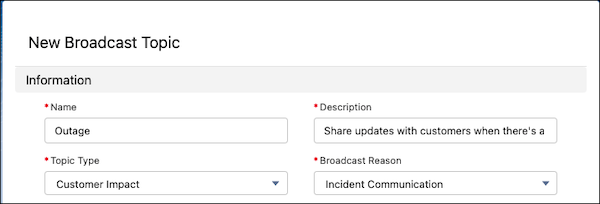
To let incident managers send a broadcast alert, first create at least one broadcast
topic. When an incident occurs, incident managers can then send broadcast alerts to groups based
on a broadcast topic.
Required Editions
If you already have a broadcast topic for your broadcast alerts, you can skip these steps
and go straight to assigning it to a group.
-
From Setup, in the Quick Find box, enter Customer Service Incident
Management, and then click Customer Service Incident
Management.
-
Under Create Broadcast Topics and Assign to Group, click Create &
Assign.
-
Select New.
-
Enter a name and description, then select a broadcast type.
-
Select Incident Communication as the broadcast reason.
-
Save your changes.
After you create a broadcast topic, assign it to a group.