Proactively notify customers about an ongoing incident by adding a banner to your
website. You can only add a broadcast site banner to a site that doesn’t have an active
banner.
Required Editions
- Customer Service Incident Management must be enabled.
- Broadcast site banners must be enabled.
- Broadcast topics must be assigned to networks.
-
Go to the incident related lists and find the Broadcast Communications related list.
-
Click New Broadcast Site Banner.
-
Review the sites where the banner will be added and click
Next.
-
Select the relevant broadcast topic and click Next.
-
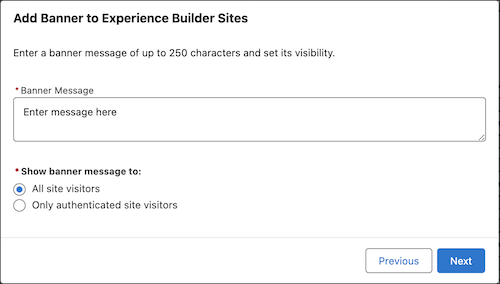
Enter the banner message.
-
Select whether to make the site banner visible to all website visitors or to only
authenticated site visitors.
When the incident is resolved, deactivate the banner to remove it from your
site.