
When setting up work capacity availability calculations, you must enable the availability calculations job.
Required Editions
| User Permissions Needed | |
|---|---|
| To set up Work Capacity Availability: | Admin on Field Service |
By default, the job runs on weekdays at 10:00 AM for 30 days ahead. You can schedule the availability calculation process to run during your low-activity times. You can also determine how many days ahead to calculate availability.
- From the App Launcher, find and select Field Service Settings.
-
Click Scheduling, and then click Work
Capacity.
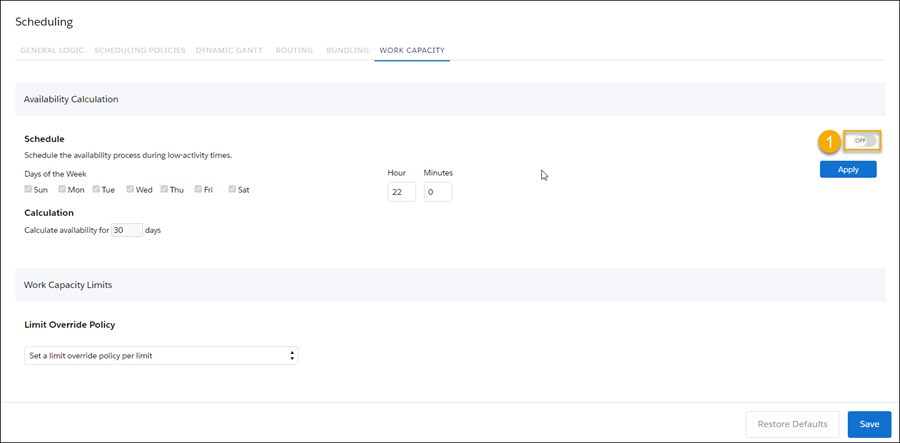
- Enable the calculation process (1).
- Select the days of the week and time to perform the availability calculations. The default is weekdays at 10:00 PM.
- Click Apply.
- Enter the number of days ahead to calculate availability for (the maximum is 90 days).
- Save your changes.