
Use the Asset Downtime Periods related list to record details of planned and unplanned downtime.
Required Editions
| Available in: both Salesforce Classic (not available in all orgs) and Lightning Experience |
| The Agentforce Field Service and Operations core features, managed package, and mobile app are available in Enterprise, Unlimited, and Developer Editions. |
When an asset is shared, its asset downtime period records are also shared.
- Open the asset record and the Related tab.
- Next to Asset Downtime Periods, click New.
-
In Downtime Type, select Planned or Unplanned.
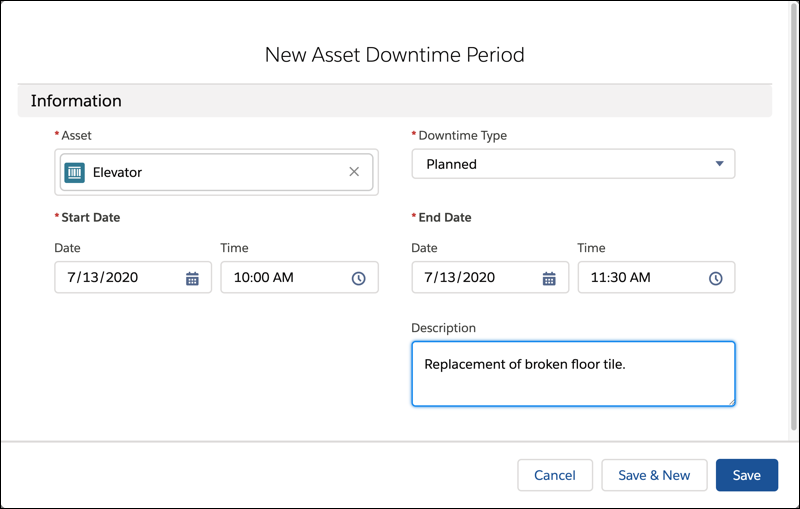
- Enter the date and time for the start and end of the downtime.
- Enter a description of the reason for the downtime.
- Save your changes.

Example Enter details for downtime that occurs during the hours when the asset is expected to
be available. For example, a public elevator in a retail store is expected to be available
from 8 AM to 8 PM. In this example:
- Planned maintenance performed between 9 PM and 10 PM isn’t recorded as downtime.
- Unplanned maintenance performed between 7 AM and 9 AM is recorded as unplanned downtime from 8 AM to 9 AM.
- Unplanned maintenance performed between 1 PM and 11 AM the following day is recorded as
two down time records:
- Unplanned downtime from 1 PM to 8 PM on the first day.
- Unplanned downtime from 8 AM to 11 AM on the second day.
If downtime outside the expected uptime is recorded, the reliability and availability figures are understated. In extreme cases, they can be reported as negative.