Before you begin, make sure to complete the prerequisites.
Required Editions
| Available in: Lightning Experience |
| Available in: Enterprise, Performance, Unlimited, and Developer Editions with Field Service and Foundations. Also available with Einstein 1 Field Service Edition or Agentforce 1 Field Service Edition. |
- Complete the Prerequisites for Autonomous Scheduling.
- Assign the permissions for Customer-Initiated Scheduling and Customer Outreach.
- Make sure that your org is connected to Slack or that you’re using the Field Service mobile app. If you’re using Slack, the mobile worker’s Slack user profile must be linked to their corresponding Salesforce user record. This makes sure that Agentforce can correctly identify and act on behalf of the specific mobile worker.
- Make sure that your service resources are assigned to a service territory membership and operating hours.
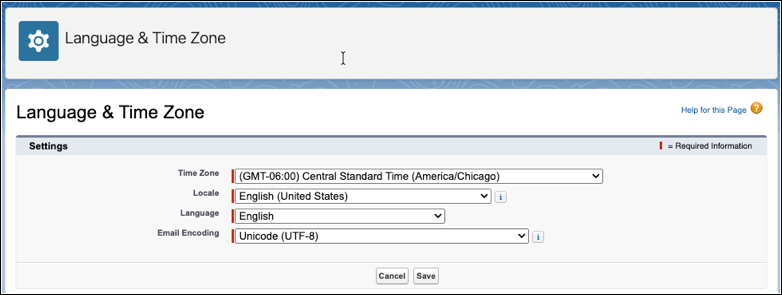
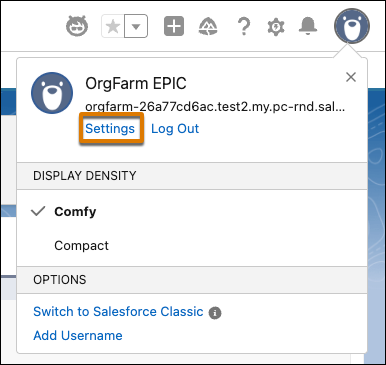
- Make sure that your org is using the correct time zone. Click the View Profile icon and
select Settings.
Then, from Language & Time Zone, make sure that the required information is filled in.