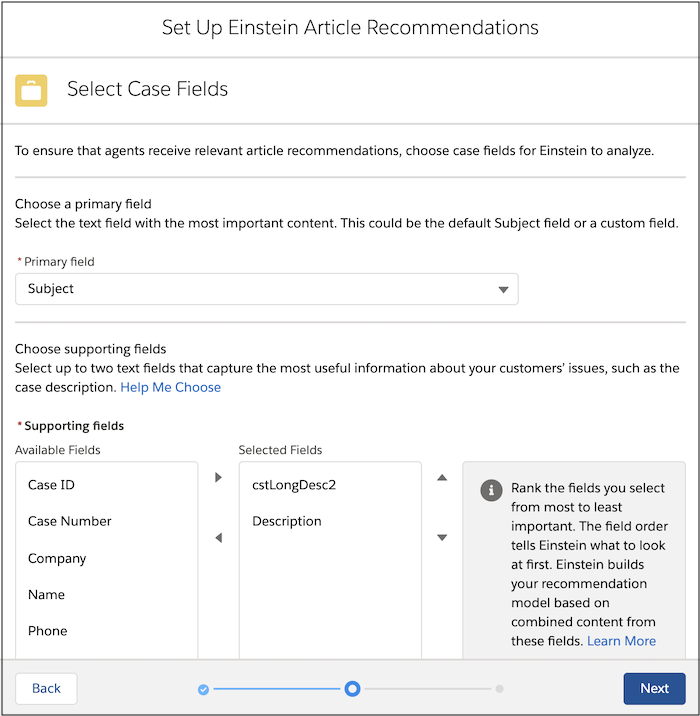
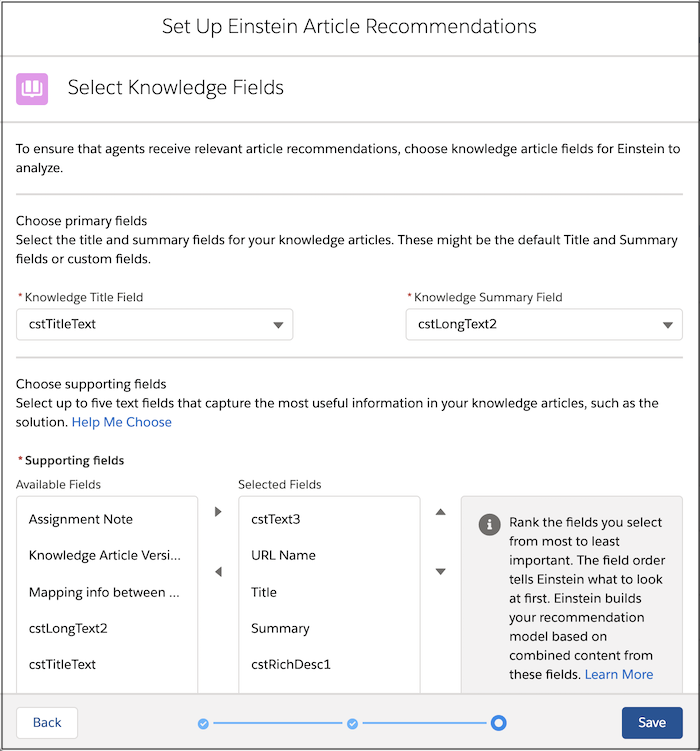
Select which supported languages to include in your model. Then select fields on cases
and knowledge articles that Einstein Article Recommendations can analyze to identify relevant
articles.
Required Editions
| User Permissions
Needed |
| To use Einstein Article Recommendations: |
Customize Application |
-
From Setup, in the Quick Find box, enter Einstein Article
Recommendations, and select Einstein Article
Recommendations.
-
To create your model, under Select Fields, click Next.
-
Select supported languages that you want to include in your model, and click
Next.
Verify that these languages are active in your Knowledge settings.
-
Select unencrypted case fields that you want to incorporate into your model, and click
Next.
-
Select unencrypted fields from Knowledge articles that you want to incorporate into your
model, and click Save.
After you select languages and fields, build the model so you can activate it.