---
schema_version: "1"
id: 35fb6a809f4d4eeff05462d617849e2d303c1810ae09fb42630fe3a60d7f7119
title: Select Languages and Fields for Your Article Recommendation Model
collection: admin
version: current
locale: en-us
portal_url: https://docs.salesforce.com/admin/current/en-us/service/264-0-0/einstein_article_recommendations_select_fields.md
canonical_url: https://help.salesforce.com/s/articleView?id=service.einstein_article_recommendations_select_fields.htm&release=264.0.0&type=5
source_site: help.salesforce.com
content_type: documentation
content_hash: f700778244db190a199d55c6b62007a777bce38f7e412d3aca2f194dedeb4d46
description: Select which supported languages to include in your model. Then select fields on cases and knowledge articles that Einstein Article Recommendations can analyze to identify relevant articles.
products:
- Service Cloud
- Service Intelligence
release: "264"
---
# Select Languages and Fields for Your Article Recommendation Model
Select which supported languages to include in your model. Then select fields on cases and knowledge articles that Einstein Article Recommendations can analyze to identify relevant articles.
### Required Editions
Unsure which fields to choose? Learn more in [Understanding Model Quality and Improve Recommendations](https://help.salesforce.com/s/articleView?id=service.einstein_article_recommendations_scorecard.htm&type=5&language=en_US).
1. From Setup, in the Quick Find box, enter Einstein Article Recommendations, and select **Einstein Article Recommendations**.
2. To create your model, under Select Fields, click **Next**.
3. Select supported languages that you want to include in your model, and click **Next**.
Verify that these languages are active in your Knowledge settings.
4. Select unencrypted case fields that you want to incorporate into your model, and click **Next**.
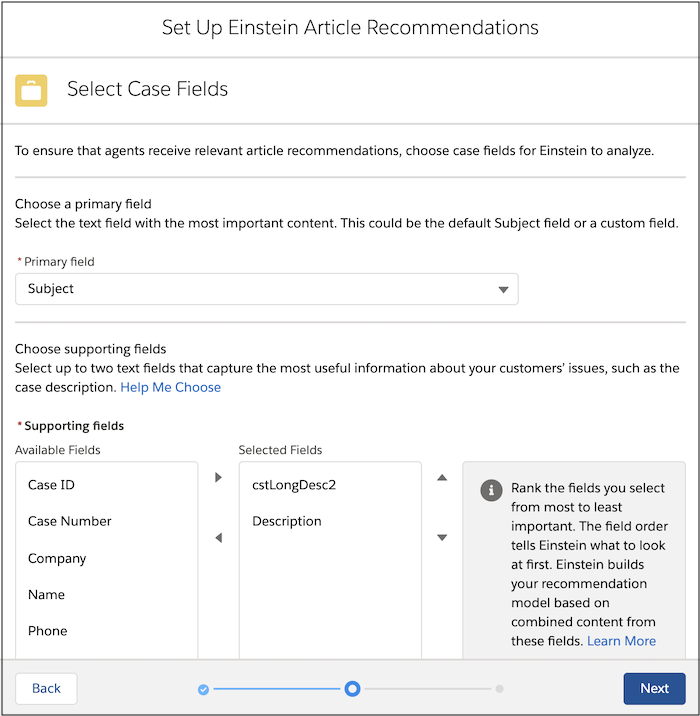
5. Select unencrypted fields from Knowledge articles that you want to incorporate into your model, and click **Save**.
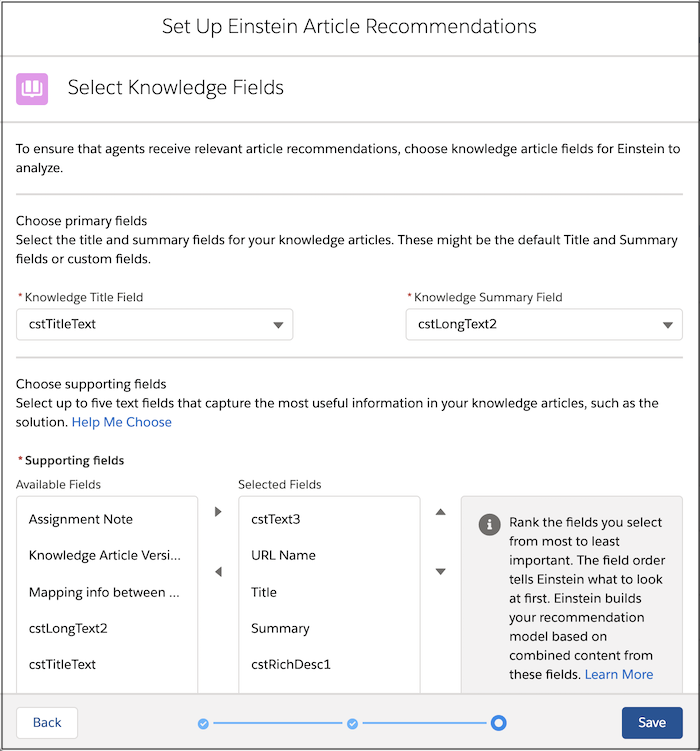
After you select languages and fields, build the model so you can activate it.