
Find and attach relevant articles to cases with Einstein Article Recommendations in the Lightning Service Console.
Required Editions
Einstein shows up to five relevant articles at a time, sorted by relevance. Einstein’s recommendations refresh each time:
- A case is created, or
- A field included in your Einstein Article Recommendations model is updated on a case
Einstein measures each article’s relevance to the case as a percentage, which appears above the title in the recommendation list. Here’s how relevance is determined. There’s no minimum relevance percentage for the articles that Einstein recommends.
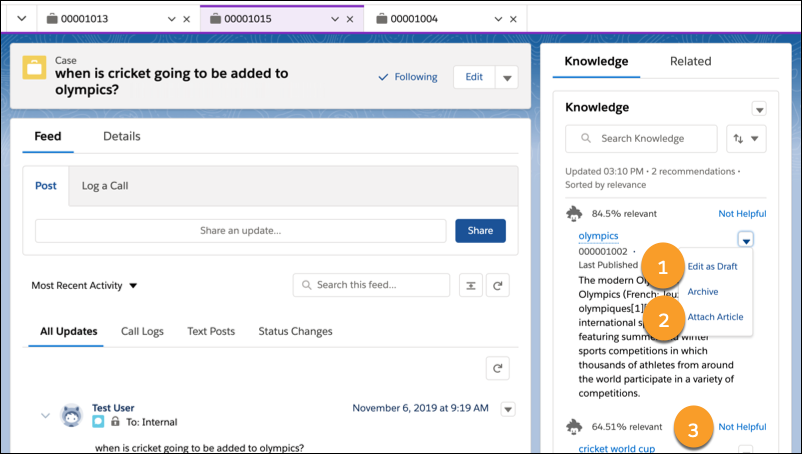
To attach a recommended article to a case, from the dropdown menu, select Attach Article (1). To edit a recommended article, from the dropdown menu, select Edit as Draft (2). If an article isn’t relevant to the case, click Not Helpful (3).