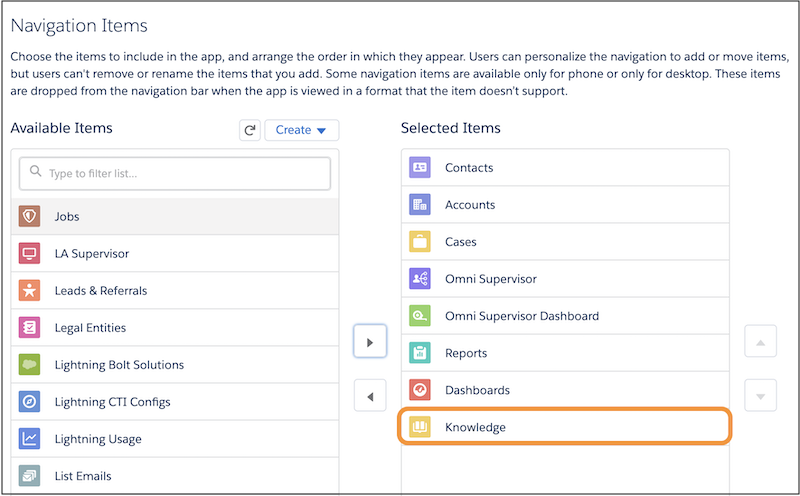
If it’s not there already, add the Knowledge component to the Lightning Service Console
so your service reps can receive article recommendations.
Required Editions
| User Permissions Needed |
| To view apps: |
View Setup and Configuration |
| To manage apps: |
Customize Application |
-
From Setup, in the Quick Find box, enter App Manager, and select
App Manager.
-
Click the dropdown next to the Lightning Service Console app where you want to add the
Knowledge component, and click .
-
Select Knowledge from the Available Items list, and add it to the
Selected Items list.
-
Click Save.