To ensure that the most up-to-date data is available by a particular time or to run a
job during non-business hours, schedule the clustering transform.
Required Editions
| Available in: Lightning Experience |
| Available in: Enterprise, Unlimited, and Developer Editions with
Data 360 enabled and the Customer Signals Intelligence add-on |
| User Permissions Needed |
| To manage data transforms: |
Data Cloud Architect |
-
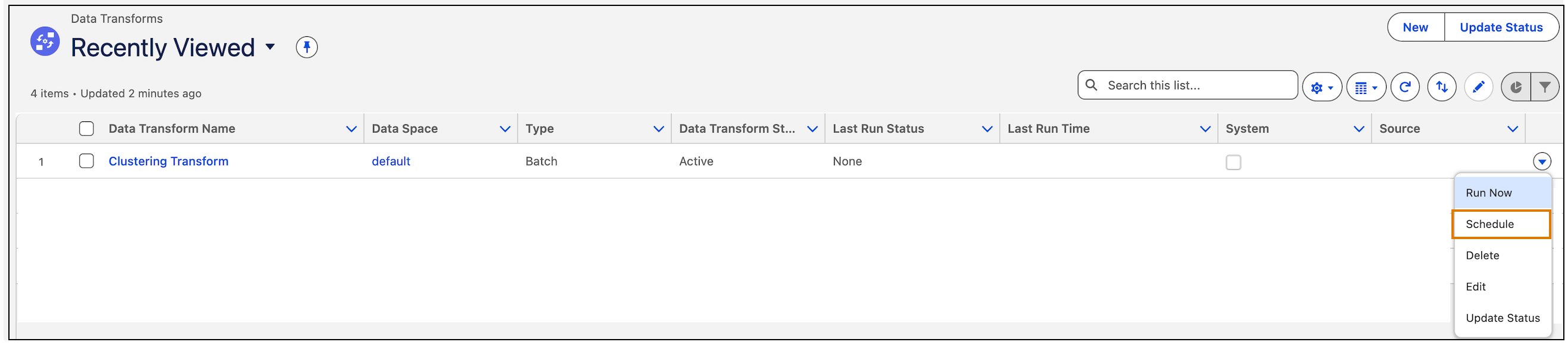
To schedule clustering, from Apps, open Data Transforms.
-
For Clustering Transform, click Schedule.
-
Enter details to schedule the transform. For more information on scheduling, see Schedule a Batch Data Transform.
-
Save your changes.