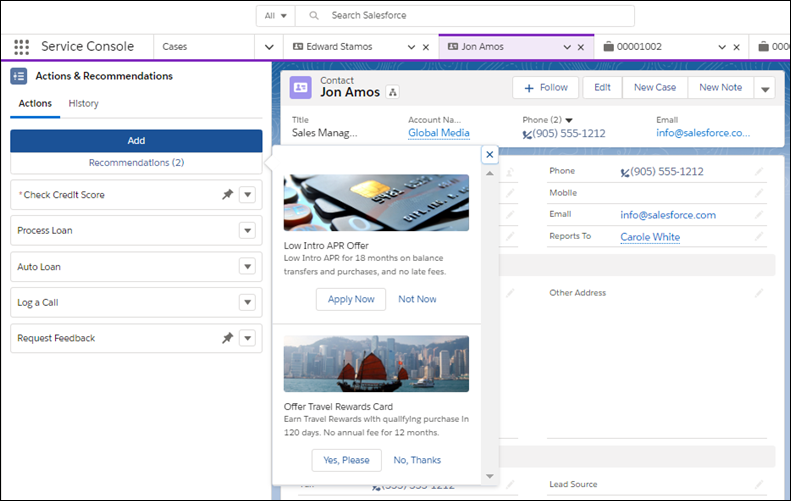
Consider actions and offers that result when you filter recommendations through Next
Best Action strategies. If your admin has set up a deployment to show recommendations, the
best ones display in a tab on the Actions & Recommendations component.
Required Editions
| Available in: Lightning Experience |
|
Available in: Essentials, Professional,
Enterprise, Performance, Unlimited, and
Developer Editions
Lightning console apps are
available for an extra cost to users with Salesforce Platform
user licenses for certain products. Some restrictions apply. For
pricing details, contact your Salesforce account executive.
|
| User
Permissions Needed |
| To run an action strategy or recommendation: |
Run Flows
OR
Flow User field
enabled on the user detail page
OR
Manage Flow
|
Your admin can configure a Next Best Action strategy that filters recommendations
into customized actions and offers, such as a discount, a repair, or an add-on
service. When you open a record page, a tab on the component displays the top
recommendations for the record.
To view the recommended actions or offers, click
Recommendations.
When you accept a recommendation, it starts an associated flow that walks you
through the steps.