
Give service reps access to Work Summaries by assigning them the correct permission sets.
Required Editions
| View supported editions. |
| User Permissions Needed | |
|---|---|
| To give service reps access to Einstein for Service Work Summaries: |
Manage Profiles and Permission Sets |
- Select the service reps or profiles you want to use Work Summaries.
-
Assign your selected service reps the Work Summaries User permission set. The
permission set is included with the Einstein for Service add-on license.
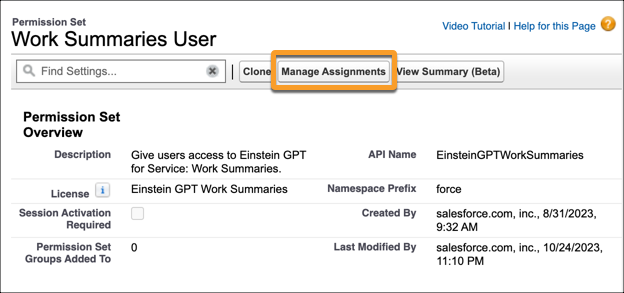
If Work Summaries is enabled, users with the Work Summaries User permission set get access to the Wrap Up component in the service console.
- (Optional) To use Work Summaries with Service Email, assign your users the Execute Prompt Templates user permission.
- (Optional) To use Work Summaries in agent, assign service reps the Use Einstein Copilot for Salesforce user permission and the Prompt Template user permission.