
When a service rep or supervisor joins an active voice call or messaging session and has to gain context quickly, catch them up with a real-time AI-generated summary of the conversation.
Required Editions
| View supported editions. |
| User Permissions Needed | |
|---|---|
| To view Conversation Catch-Up summaries: | View Conversation Catch-Up permission set |
With Conversation Catch-Up, real-time summaries appear at several key moments.
- When a service rep accepts a transferred voice call or messaging session
- When a service rep accepts a messaging session from a bot
- When a supervisor clicks Monitor from the Omni Supervisor dashboard to respond to an escalation or service rep flag raise
To use Conversation Catch-Up, first enable Einstein Generative AI in Setup.
Conversation Catch-Up uses the GPT 4 Omni model. The serving provider depends on your org’s region. In the United States East-1, United States East-2, and United States West-2 regions, GPT 4 Omni is served by Open AI. In all other regions, including the United Kingdom and Europe, GPT 4 Omni is served by Azure Open AI, which is the default provider. For more information, see Geo-Aware Routing for OpenAI and Azure OpenAI.
If your org is in a region served by Azure Open AI, make sure that the Azure Open AI provider is enabled for your org. See Manage Model Provider Access.

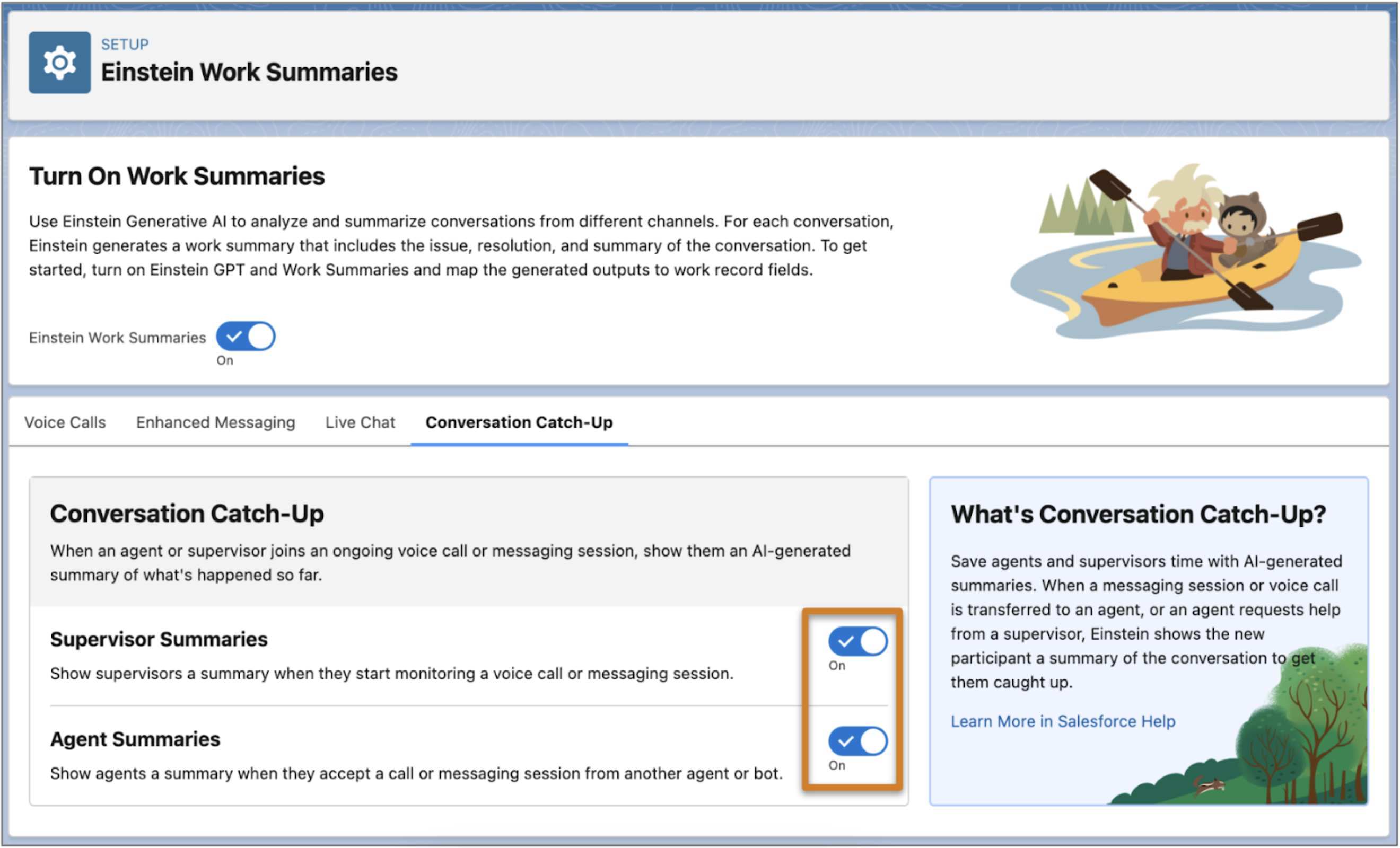
- From Setup, in the Quick Find box, enter Work Summaries, and then select Einstein Work Summaries.
- If it’s not already on, turn on Einstein Work Summaries.
- Click the Conversation Catch-Up tab.
- To show conversation summaries to supervisors when they start monitoring a voice call or messaging session, turn on Supervisor Summaries.
-
To show conversation summaries to service reps when a voice call or messaging session
is transferred to them from another service rep or bot, turn on Agent
Summaries.
A conversation must have at least 10 text-based entries before a summary can be generated. These entries don’t include menus from bots, menu selections from the customer, auto-responses, or other rich content that might be sent as part of the conversation.
Conversation Catch-Up summaries can be translated if Agent Translation is enabled. When Agent Translation is enabled, the Conversation Catch-Up summary is generated in the transcript language, not in the configured language. Conversation Catch-Up is available in ten languages: Brazilian Portugese, Dutch, English, French, German, Italian, Japanese, Mexican Spanish, Portuguese, Spanish, and Swedish.