
You can use Einstein Intent Sets to add many utterances to intents at one time. Intent sets can be shared across orgs to quickly assign utterances to intents.
Required Editions
| View supported editions. |
| User Permissions Needed | |
|---|---|
| To build and manage Einstein Bots: |
Customize Application OR Modify Metadata OR Manage Bots |
| To manage intent sets and bot training: |
Customize Application OR Modify Metadata OR Manage Bots OR Manage Bots Training Data |
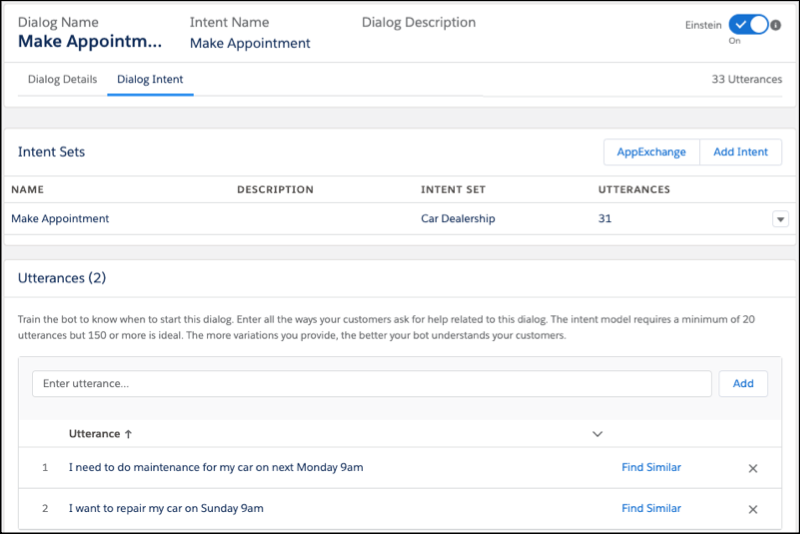
You can create intent sets, or find them on the AppExchange. To create your own Intent Set, visit Import Intent Data to an Einstein Intent Set. The total number of utterances attached to an intent includes the utterances from your intent set and any manually added utterances.
- Navigate to the Bot Builder, and select which dialog is the destination for the intent data.
-
In the Intent Sets section, click Add Intent.
-
Select your intent from the list, and click Save.
To visualize the accuracy of your intent model, you can use the Einstein Intent Assessor AppExchange tool.