
Turn on Exact Matching for intents that have too few utterances to be included in the intent model. These case-sensitive phrases allow the bot to recognize a common intent and route accordingly.
Required Editions
| View supported editions. |
| User Permissions Needed | |
|---|---|
| To build and manage Einstein Bots: |
Customize Application OR Modify Metadata OR Manage Bots |
| To manage intent sets and bot training: |
Customize Application OR Modify Metadata OR Manage Bots OR Manage Bots Training Data |

Note Exact Match
utterances are case-sensitive.
-
Turn on Exact Matching for a dialog by navigating to the dialog in the Bot Builder and then
clicking Enable Dialog Intent. This setting is one way—after it is
turned on, it cannot be turned off.

-
Add utterances to the intent by selecting the Dialog Intent submenu. You can add utterances
manually, or you can use an Einstein Intent Set through the Intent Set section. The total count
of utterances (manual and from intent sets) is listed in the top-right corner of the page.
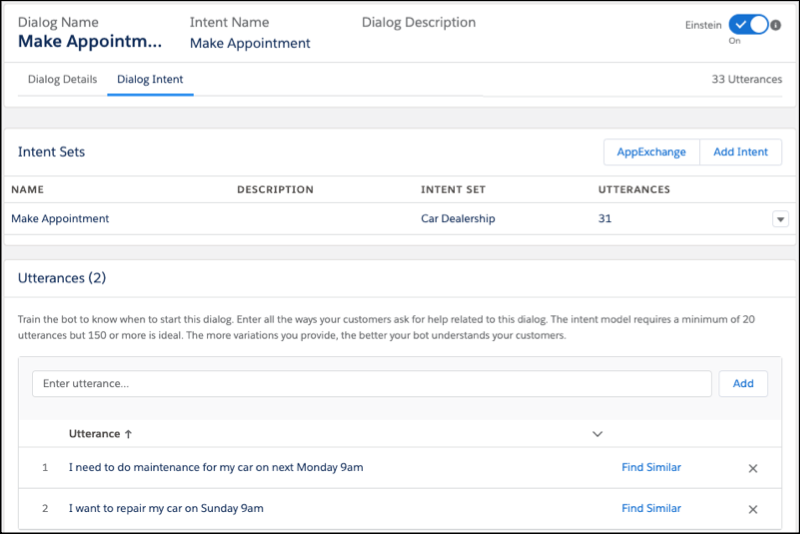
Dialogs with Exact Match have an icon signifying that Exact Matching is enabled.
