
You can easily share your intent model with external Einstein.ai orgs. Use shared models to classify intent on other external datasets.
Required Editions
| View supported editions. |
| User Permissions Needed | |
|---|---|
| To build and manage Einstein Bots: |
Customize Application OR Modify Metadata OR Manage Bots |
To share your intent model with another org, you need the destination Einstein.ai org ID. Models can only be shared with external Einstein.ai orgs and must have an org ID obtained through signup at Einstein Platform Services. To move an intent model from sandbox to production, move the intent data by using an intent set, and then rebuild the model in the destination org. Learn more at Import Intent Data to an Einstein Intent Set.

To share with an external org:
- In the Bot Builder menu, click Model Management.
- Click the Model Sharing tab.
-
Enter a valid Einstein.ai Org ID that you want to share the model to (the destination ID)
and click Share Model.
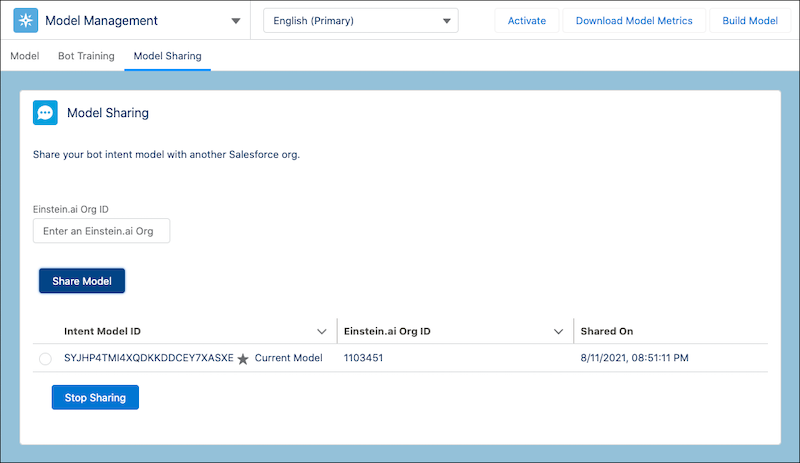
To remove sharing, select the shared model and click Stop Sharing.