
Create custom entities to gather information that matches a regex pattern or list of synonym values.
Required Editions
| View supported editions. |
| User Permissions Needed | |
|---|---|
| To build and manage Einstein Bots: |
Customize Application OR Modify Metadata OR Manage Bots |
Custom entities have a data type of text. The bot can recognize an entity in customer input, extract the information, and save it to a variable. Custom entities support two methods of extraction: regex pattern or a list of values and synonyms. Entities can be shared across versions of the same bot.
-
From the Bot Builder menu, click Entities.
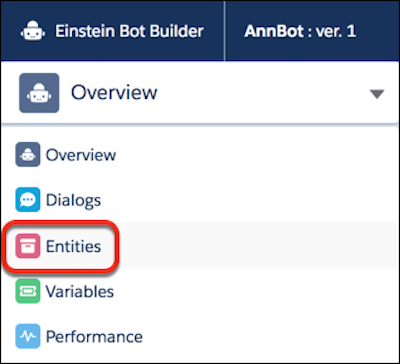
- In the Entities list view, click New.
-
Provide an entity name and description and select an extraction type for the
entity.
- If the entity type is Pattern, optionally enter a regex pattern. If the entity represents something that follows a pattern, such as an order code or email address, you can use a regular expression to capture it from user input. For example, use the following regex to identify an email address in customer input: \b\w+@[a-zA-Z_]+?\.[a-zA-Z]{2,3}\b
- If the entity type is Value List, see Add a Value List Entity.
- Save the entity.