---
schema_version: "1"
id: d2c7359eddc8762966d03e3f433ed95fe1b3c5eef26ebb583aef73ef268394e5
title: Add a Custom Entity
collection: admin
version: current
locale: en-us
portal_url: https://docs.salesforce.com/admin/current/en-us/service/264-0-0/bots_service_add_entity.md
canonical_url: https://help.salesforce.com/s/articleView?id=service.bots_service_add_entity.htm&release=264.0.0&type=5
source_site: help.salesforce.com
content_type: documentation
content_hash: e4f271cbb329807345f8a32bb8116e5ab3798684ae122d3989374dbddaeb0c12
description: Create custom entities to gather information that matches a regex pattern or list of synonym values.
products:
- Service Cloud
- Service Intelligence
release: "264"
---
# Add a Custom Entity
Create custom entities to gather information that matches a regex pattern or list of synonym values.
### Required Editions
Custom entities have a data type of text. The bot can recognize an entity in customer input, extract the information, and save it to a variable. Custom entities support two methods of extraction: regex pattern or a list of values and synonyms. Entities can be shared across versions of the same bot.
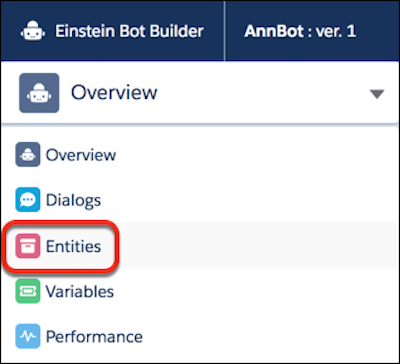
1. From the Bot Builder menu, click **Entities**.
2. In the Entities list view, click **New**.
3. Provide an entity name and description and select an extraction type for the entity.
1. If the entity type is Pattern, optionally enter a regex pattern. If the entity represents something that follows a pattern, such as an order code or email address, you can use a regular expression to capture it from user input. For example, use the following regex to identify an email address in customer input: \\b\\w+@\[a-zA-Z\_\]+?\\.\[a-zA-Z\]{2,3}\\b
2. If the entity type is Value List, see [Add a Value List Entity](https://help.salesforce.com/s/articleView?id=service.bots_service_add_entity_value_list.htm&release=264.0.0&type=5 "A value list entity provides a way to extract the entity if there’s an exact match to a value or a synonym in a list of values.").
4. Save the entity.