
The Actions & Recommendations component gives your users easy access to any flows that are enabled for their Console. Flows from this component launch in a nested subtab for the record. You can switch between records to view information to use in other tabs.
Required Editions
| View supported editions. |

Tip The Actions & Recommendations component is ideal if you want to keep your
Swarming actions, including flows and related lists, in a dedicated Swarming tab that helps
reduce page crowding.
-
Make a deployment with an object. If you have an Actions & Recommendations
deployment with cases, you can skip this step.
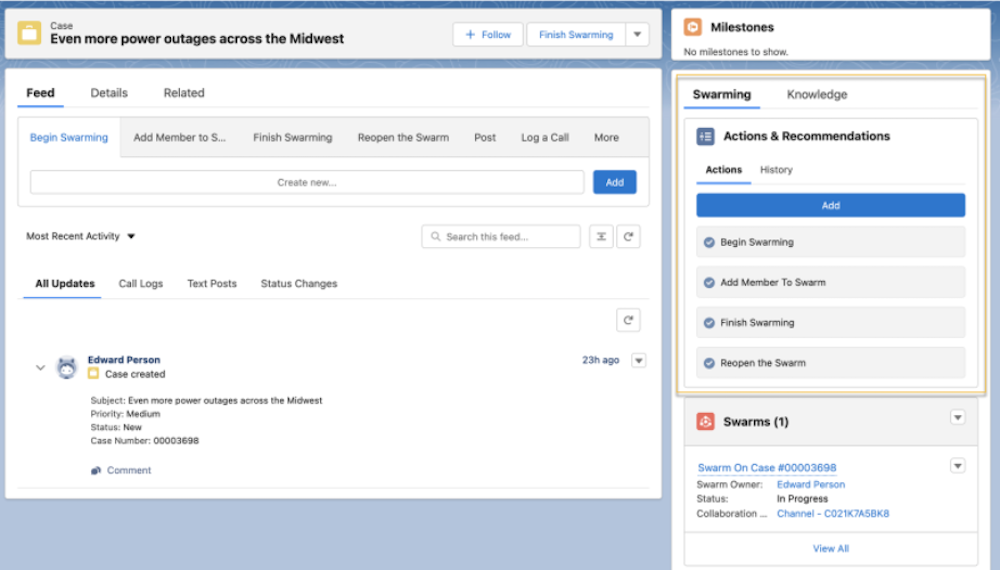
- From Setup, in the Quick Find box, enter Actions & Recommendations, and then select Actions & Recommendations.
- To create an Actions & Recommendations deployment, select New Deployment.
-
Give your new deployment a brief and descriptive name like Swarming Flows.
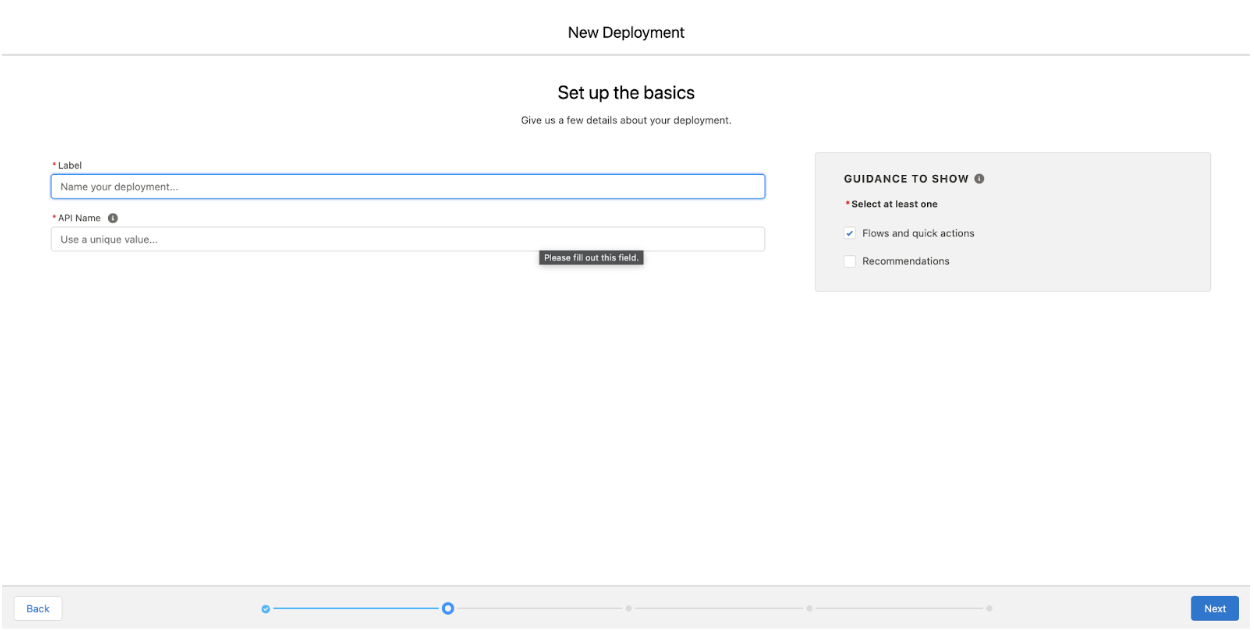
- Select Flows and quick actions.
- Select an object that supports Swarming, such as Case or Incident. You can select more than one object.
-
In the Default tab, use these flows as the channel default actions for the
deployment.
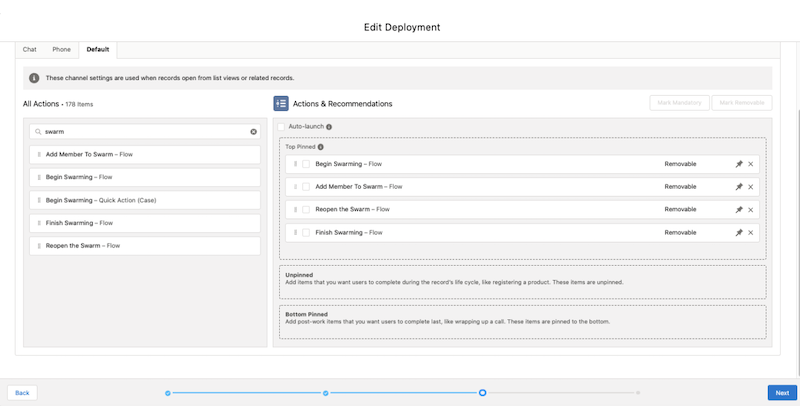
- To let users add their own flows to the Actions & Recommendations component, select actions and save. To show only the actions that you’ve configured, deselect all actions and save your changes.
-
Add Actions & Recommendations to your object record page
layout and choose the deployment where you added the swarming flows.
- Select Go to Lightning App Builder.
- Select the Lightning page that you want to add Swarming flows to and click Edit.
- If applicable, add the Actions & Recommendations component to your page layout.
- From the component, select the Swarming Flows deployment.
- Save your changes.