Keep sales reps focused on their individual areas of responsibility using territory
models that you design in Territory Planning and then publish to Sales Territories. The model that
you activate limits your reps’ access to only their assigned accounts, leads, and
opportunities.
Required Editions
| Available in: both Salesforce Classic (not available in all orgs) and Lightning
Experience |
| Available in: Enterprise, Performance, Unlimited, and
Developer Editions
|
Get an idea of what’s involved in planning and managing territories when you pair Territory
Planning, an add-on product, with Sales Territories. After you design and publish your territory
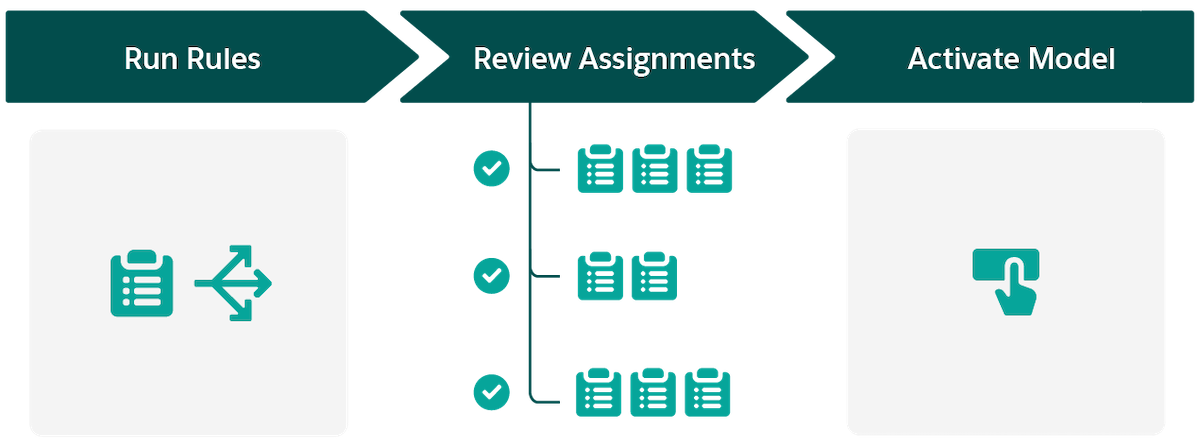
model to Sales Territories, run assignment rules, review assignments, and then activate your
territory model. Here’s how.
| High-Level Flow |
How It Helps Your Business |
| Run assignment rules |
Apply assignments to records based on rules and criteria that you define in Territory
Planning. |
| Review assignments |
Verify that your account, lead, opportunity, and user assignments appear the way you
expect. Then fine-tune any assignments that require your attention. |
| Activate your territory model |
Apply your assignments throughout your territory hierarchy. Activating your model:
- Enforces the principle of least privilege and restricts your reps’ access to only their
assigned accounts, leads, and opportunities
- Gives anyone above your reps in the territory hierarchy access to those records
|