
Plan territory models on a map using Territory Planning, an add-on product that optimizes sales coverage and aligns teams with leadership goals. Assign records and users to territories based on rules and criteria that you establish. Or automate assignments using other methods that meet your requirements for distributing work equitably.
Required Editions
| Available in: both Salesforce Classic (not available in all orgs) and Lightning Experience |
| Available in: Enterprise, Performance, Unlimited, and Developer Editions |
Get an idea of what’s involved in planning and managing territories when you pair Territory Planning with Sales Territories. After you get your Territory Planning license, design a territory model and then publish it to Sales Territories. Here’s how.
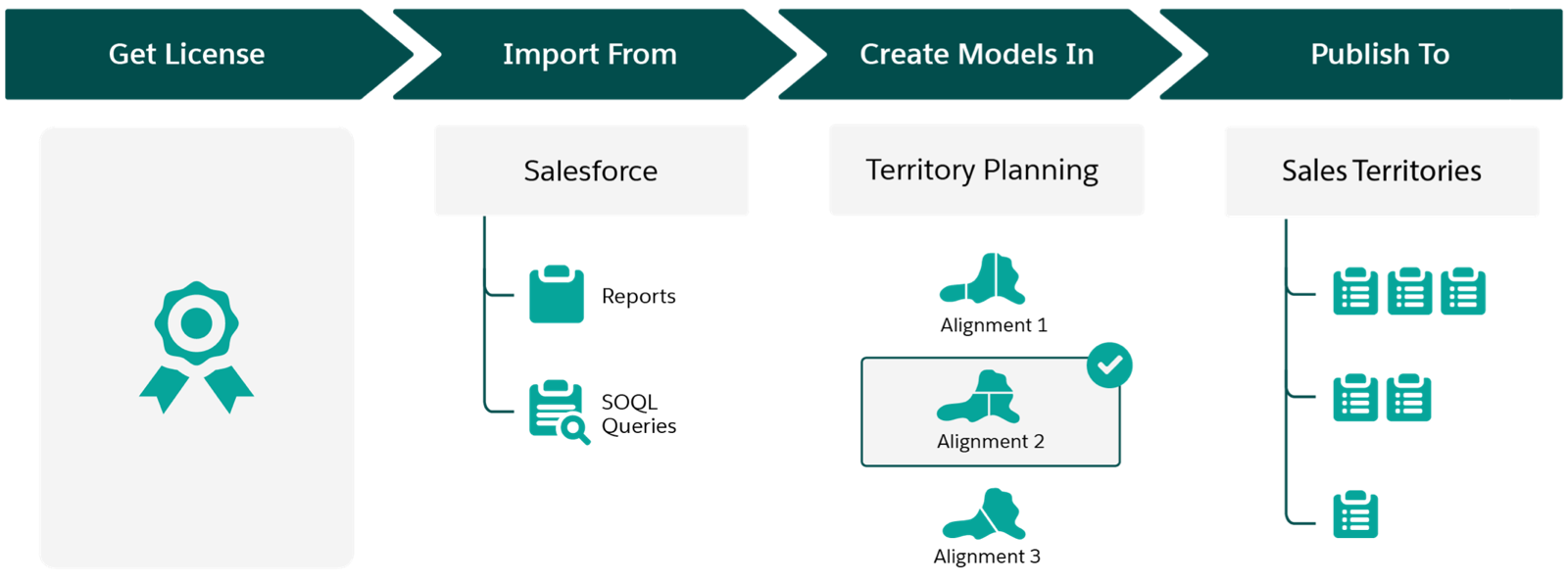
| High-Level Flow | How It Helps Your Business |
|---|---|
| Get a license for Territory Planning |
Plan strategic territories aligned with leadership goals on a map with consideration to:
If you don’t have a license, discuss your options with your Salesforce account executive. |
| Import data from Salesforce |
Create models that include accounts, leads, and opportunities from Salesforce based on your datasets from Territory Planning. Reports and queries gather the Salesforce data that you specify for your planning efforts. Import supplemental data from other sources using CSV files that contain metrics, product details, or other relevant business data that helps you plan with intention. |
| Create models in Territory Planning |
Visualize how your optimized models:
Import supplemental data into your scenarios from CSV files that contain any relevant business data that helps with your analysis. |
| Publish models to Sales Territories |
Apply your model throughout your sales hierarchy. That way, you:
|