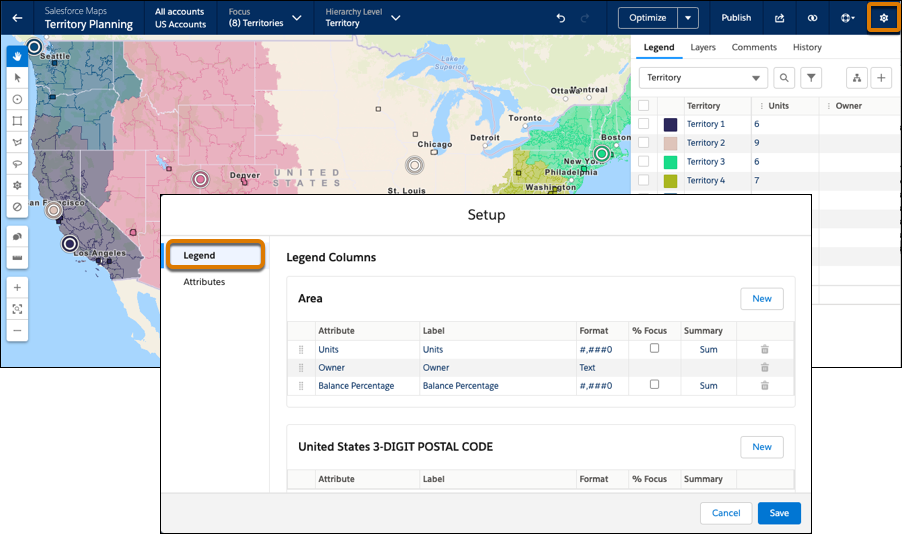
Show critical unit and assignment details that matter most when you carve territories
in Territory Planning. Depending on your preferences, specify which columns help you make
the best decisions for distributing work to your teams.
Required Editions
| Available in: both Salesforce Classic (not available in all orgs) and Lightning Experience |
| Available in: Professional, Enterprise, Performance, Unlimited, and Developer Editions with Web Services API enabled |
| User Permissions
Needed |
| To modify alignment options: |
Sales Planning Ops Analyst permission set
AND
Query for Datapipelines User for Sales Planning permission set
AND
SF Maps Territory Planning for Sales Planning permission set
|
-
Open an alignment.
-
Click Settings, and then click
Legend.
-
Specify which columns you want to appear on the legend.
-
Save your changes.