
Control how Territory Planning loads, processes, and shows data.
Required Editions
| Available in: both Salesforce Classic (not available in all orgs) and Lightning Experience |
| Available in: Professional, Enterprise, Performance, Unlimited, and Developer Editions with Web Services API enabled |
| User Permissions Needed | |
|---|---|
| To manage Territory Planning options in the Salesforce Maps package: | Customize Application |
- From Setup, in the Quick Find box, enter Installed Packages, and then select Installed Packages.
- Click Configure next to the Salesforce Maps package.
- Click Data Management.
-
Select and set options for managing data.
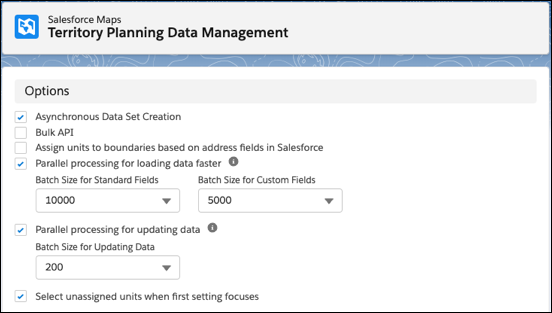
Territory Planning saves your changes.
- How Persistent Legend Filters Work in Territory Planning
When you turn on filter persistence, each user's legend filters stay on that alignment after a refresh or a change in focus.