Encourage collaboration in territory plans and alignments by enabling feed tracking for
Salesforce Maps. And let teammates interact directly on a map in Territory Planning.
Required Editions
| Available in: both Salesforce Classic (not available in all orgs) and Lightning Experience |
| Available in: Professional, Enterprise, Performance, Unlimited, and Developer Editions with Web Services API enabled |
| User Permissions Needed |
| To manage feed tracking: |
Customize Application
AND
View Setup and Configuration
|
If you set up Salesforce Maps in Summer ’20 or later, skip this procedure altogether
because feed tracking comes enabled.
-
Confirm you have Chatter enabled.
-
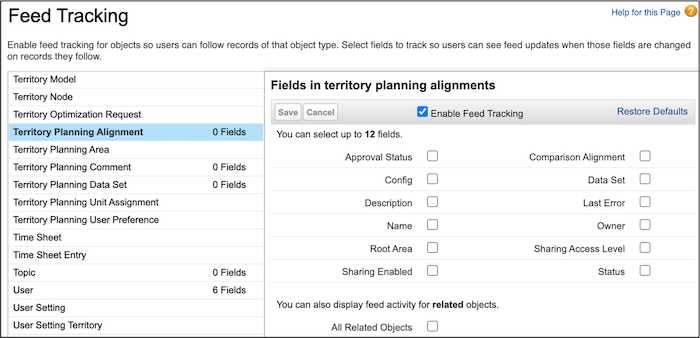
From Setup, in the Quick Find box, enter Feed Tracking, and then
select Feed Tracking.
-
Enable feed tracking for Territory Planning Alignment and
Territory Planning Dataset.