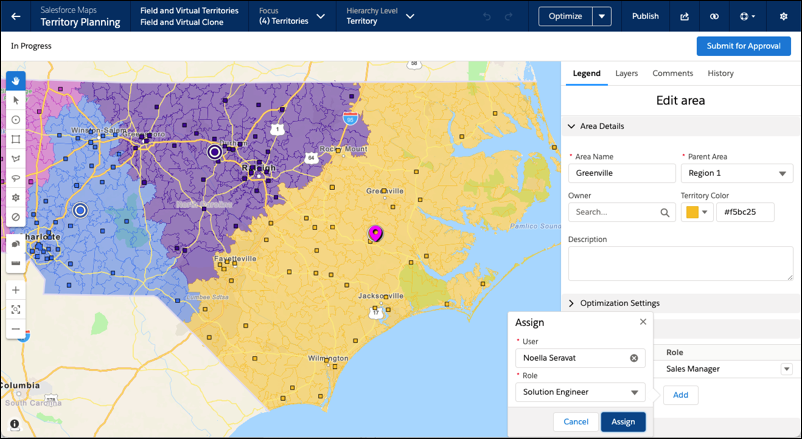
Add users and the roles that they serve to each area in Territory Planning. When you
publish alignments to Sales Territories, those assigned users and their roles appear in Salesforce
territory models.
Required Editions
| Available in: both Salesforce Classic (not available in all orgs) and Lightning Experience |
| Available in: Professional, Enterprise, Performance, Unlimited, and Developer Editions with Web Services API enabled |
| User Permissions Needed |
| To modify alignment options: |
Sales Planning Ops Analyst permission set
AND
Query for Datapipelines User for Sales Planning permission set
AND
SF Maps Territory Planning for Sales Planning permission set
|
-
Open an alignment, and set the focus.
-
Edit an area, and then expand Assigned Users.
-
Click Add. Enter a user that you want to assign to the area, select
the user’s role, and then click Assign. Repeat this step for every user
that you assign to the area.
-
Save your work.