
Create datasets that include assigned accounts in a territory model from Sales Territories. Using those datasets, create and optimize alignments in Territory Planning, then publish them as your fine-tuned territories in Salesforce.
Required Editions
| Available in: both Salesforce Classic (not available in all orgs) and Lightning Experience |
| Available in: Professional, Enterprise, Performance, Unlimited, and Developer Editions with Web Services API enabled |
| User Permissions Needed | |
|---|---|
| To create datasets in Territory Planning: |
Sales Planning Ops Analyst permission set AND Query for Datapipelines User for Sales Planning permission set AND SF Maps Territory Planning for Sales Planning permission set |
-
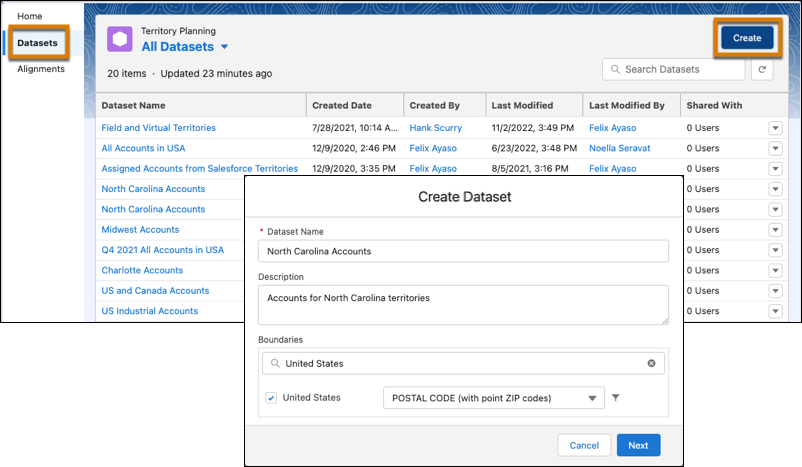
Click Datasets, then click Create. Enter a
name for the dataset and click Next.
-
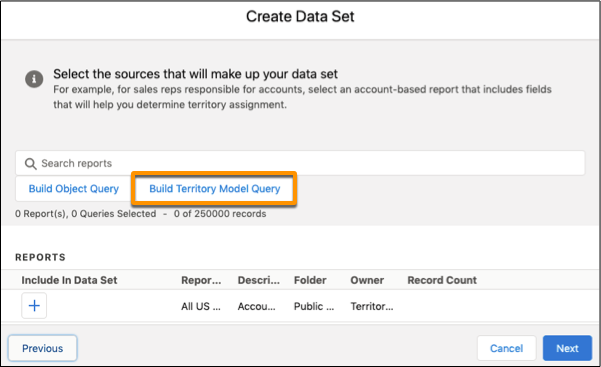
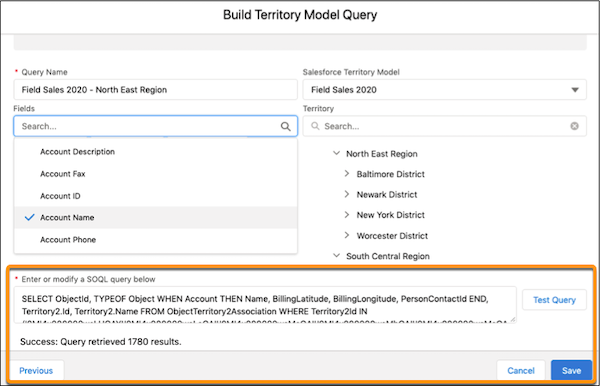
Click Build Territory Model Query.
-
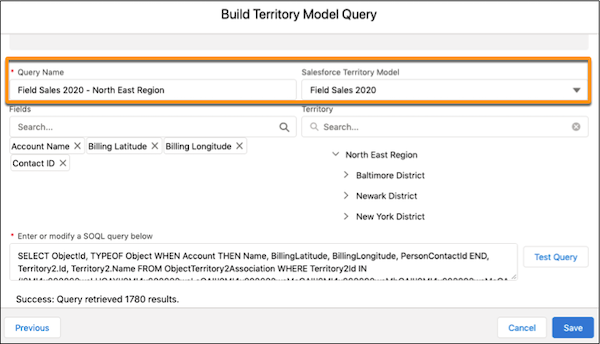
Give your query a name, then select a branch from a Salesforce territory model.
-
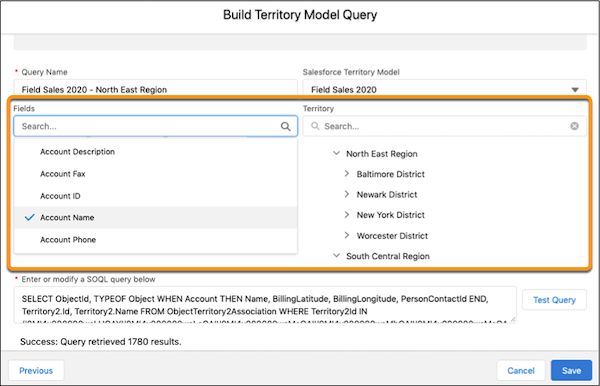
Select the fields that you want to include, then select a territory. As you select fields
and territories, Territory Planning populates the SOQL query field.
-
Test your query, then save your work.
-
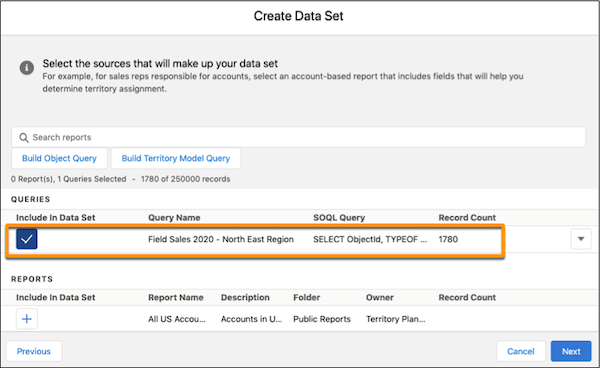
Your query is now available to include in the dataset. Click
Next.
-
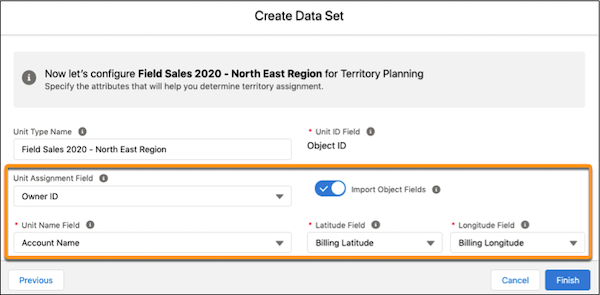
If you don’t see the options you need for unit assignment, latitude, or longitude, turn on
Import Object Fields, then select a unit assignment field such as Owner
ID.
-
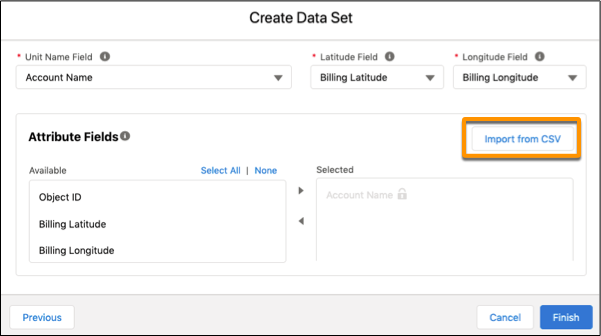
To supplement your data with attributes from external sources in CSV files, click
Import from CSV, then add the CSV files that you want.
- Click Finish.