Support your sales and service teams when you update your company’s territory models
continually with the latest data from Salesforce and boundary updates. Create copies of datasets
and their alignments that include data from freshly run reports and queries in Territory
Planning.
Required Editions
| Available in: both Salesforce Classic (not available in all orgs) and Lightning Experience |
| Available in: Professional, Enterprise, Performance, Unlimited, and Developer Editions with Web Services API enabled |
| User Permissions Needed |
| To clone datasets: |
Sales Planning Ops Analyst permission set
AND
Query for Datapipelines User for Sales Planning permission set
AND
SF Maps Territory Planning for Sales Planning permission set
|
-
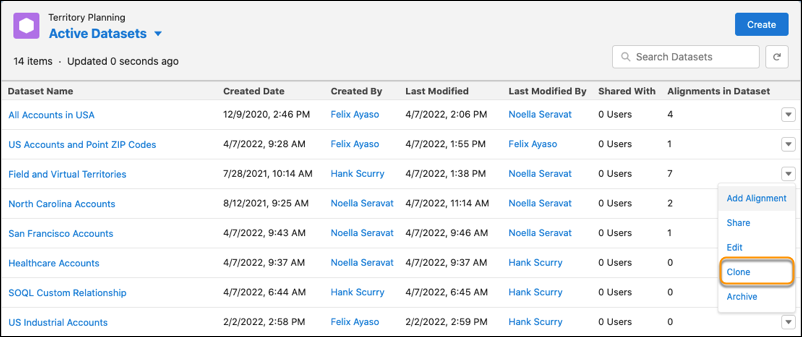
Navigate to the dataset that you want to copy with refreshed data sources. Then select
Clone.
-
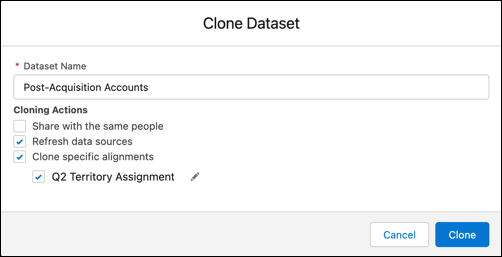
Enter a name for the cloned dataset. Then select Refresh data
sources and Clone specific alignments. And select the
alignments to include in the cloned dataset.
-
Click Clone.
Territory Planning creates the copy of the dataset, which includes the latest data
from your sources and current boundaries along with the alignments that you chose.
-
Continue your territory optimization efforts using the refreshed alignments.